In This Dev Log
The Starting Point: A WWII Tower Defense Game That Had to Feel Playable First
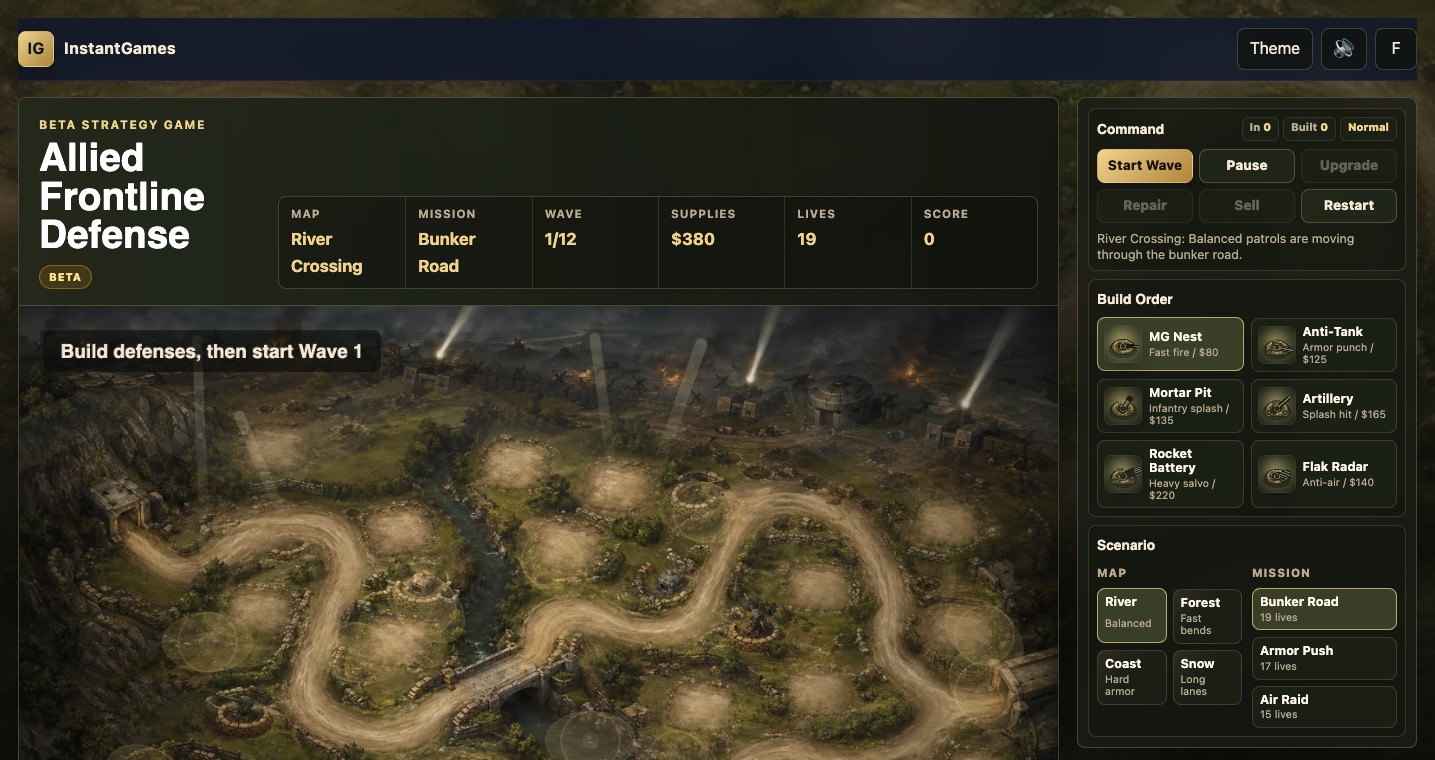
The original request for Allied Frontline Defense was simple: build a World War II style tower defense game and add it to the site. That sounds straightforward, but it immediately creates a design problem. A tower defense game is not just a picture of a road with enemies moving across it. The player has to understand where enemies enter, where they leave, which spaces are buildable, what each weapon does, when a wave is dangerous, and why a loss happened. If those signals are unclear, even a beautiful battlefield becomes frustrating.
The first decision was to treat the game as a real browser game, not a decorative prototype. It needed a main game page, a playable canvas, a compact command panel, a progression loop, a win or loss state, and entry points from the rest of InstantGames. It also had to fit the existing website architecture: no heavy build system, no complicated framework, no separate app shell. The game had to live inside the same static HTML, CSS, and JavaScript world as the other InstantGames titles.
The second decision was thematic. The game would be WWII-inspired, but fictional. That gave the visual direction enough historical flavor to be recognizable: sandbag nests, field guns, armored trucks, tanks, aircraft, muddy roads, damaged bridges, and command-map UI accents. At the same time, it avoided real-world extremist symbols or specific historical faction branding. The aim was a cinematic allied-front mood, not a reproduction of actual war insignia.
That balance mattered because the game needed to be approachable. The target player should recognize the genre within seconds: build towers, start waves, stop enemies, upgrade defenses, survive the mission. The style could be gritty, but the interaction had to be clean. From the beginning, I treated the first screen as the actual experience, not a marketing hero. The canvas battlefield was the main surface, the panel was the command area, and every visual choice had to serve the battle.
The First Playable Version: Map, Towers, Waves, and Site Integration
The first beta milestone was a complete playable loop. The player could open the game, see the battlefield, build defenses, start a wave, watch enemies move, earn supplies, upgrade towers, sell defenses, and reach a clear outcome. That loop sounds obvious, but it is the foundation. Without it, art improvements are hard to evaluate because the game has no pressure, no rhythm, and no meaningful feedback.
The initial battlefield used generated map art and a generated unit sheet. The first map had a river crossing, a bunker entrance, a dirt road, a bridge, rough defensive positions, and a right-side exit. The first tower lineup included MG Nest, Anti-Tank, Artillery, and Flak Radar. The first enemy set included infantry, trucks, tanks, and aircraft. That was enough to produce the core rock-paper-scissors logic of a tower defense game: fast infantry can be handled by rapid fire, armor needs heavier weapons, clusters reward splash damage, and air units need dedicated anti-air coverage.
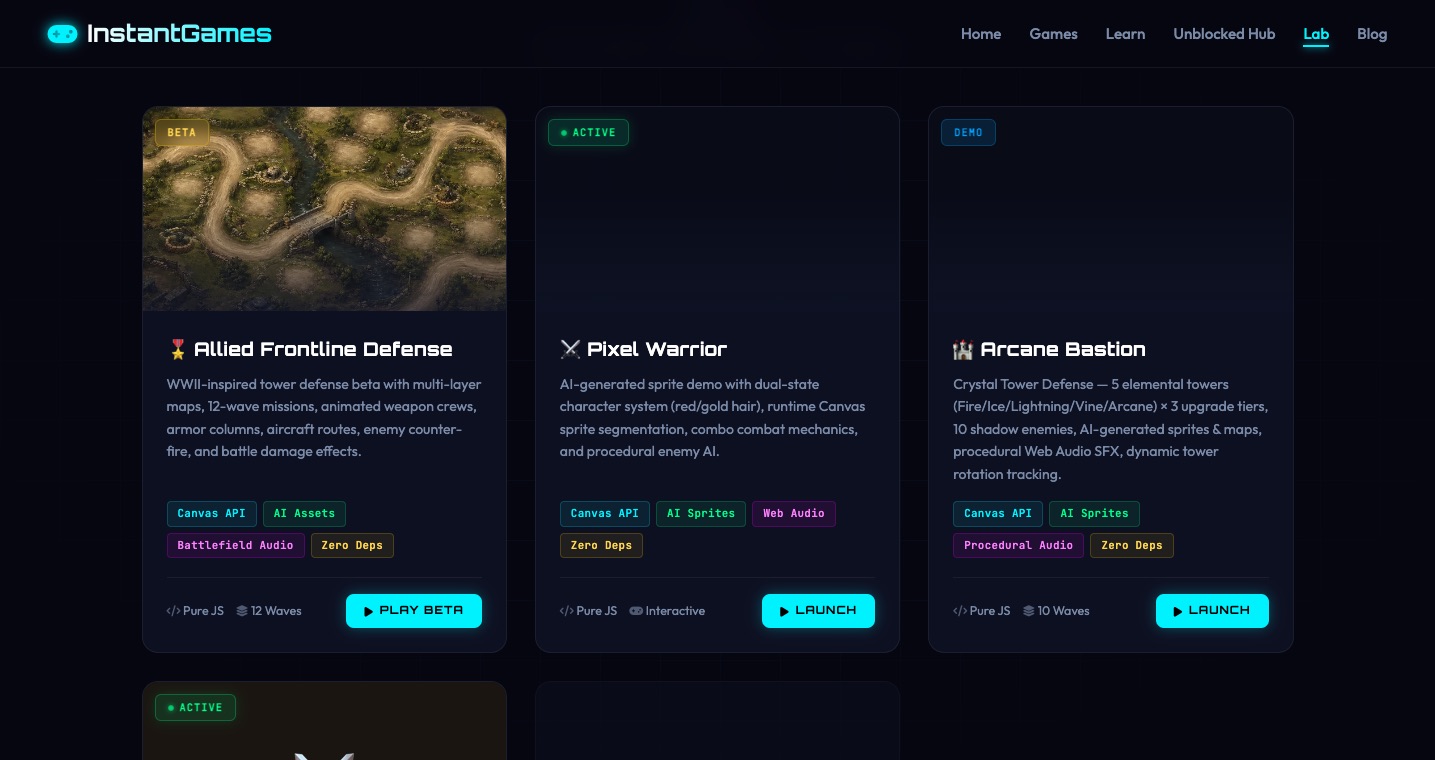
Publishing the game into the site was part of the same milestone. The home page received a game card and beta highlight. The strategy category received its own entry. The game registry was updated so site-level game lists understood it. The sitemap gained the new game URL. Later, when the beta became strong enough to present as an experiment, the Labs page also received an entry. That matters for search and user experience because a game hidden behind one direct URL does not feel like part of the platform.
Verification also started early. Each time the playable loop changed, the game was opened locally and tested in the browser. Towers were placed, waves were started, screenshots were inspected, and console errors were checked. That rhythm became essential because many of the biggest problems were visual and experiential. A syntax check can tell you whether the script parses. It cannot tell you whether a machine gun is pointing away from its target or whether a tank appears to be driving beside the road.
The Visual Iteration Loop: The Game Improved Because the Screenshots Were Taken Seriously
The first major visual issue came from tower direction. MG Nest and other weapons looked like their barrels were not facing enemies. In a tower defense game, this breaks trust immediately. The player sees a tower firing, but the weapon appears to aim somewhere else. The fix was not just to rotate a sprite. The tower needed a live target angle, a barrel drawn in the correct direction, a projectile origin that matched the muzzle, and a muzzle flash that came from the same place. Once those pieces aligned, the towers felt more grounded.
The second issue was perspective. Some early generated tower images looked too upright, almost like side-view objects standing on a top-down map. That created a scale and angle mismatch. The solution was to stop using full generated tower sprites directly on the battlefield. The generated images remained useful for inspiration and icons, but the battlefield towers were redrawn as low-profile canvas weapons with sandbag rings, wheels, gun shields, barrels, support legs, crates, and level pips. This made them look placed on the terrain rather than pasted on top of it.
The third issue was the enemy route. At first, enemies followed a logical path, but that path did not fully match the obvious dirt road in the map art. The player could see the road and could also see the units drifting away from it. This is one of the most damaging problems in a tower defense game because the road is not decoration. It is the promise the map makes to the player. If the actual movement path breaks that promise, every build choice becomes harder to read.
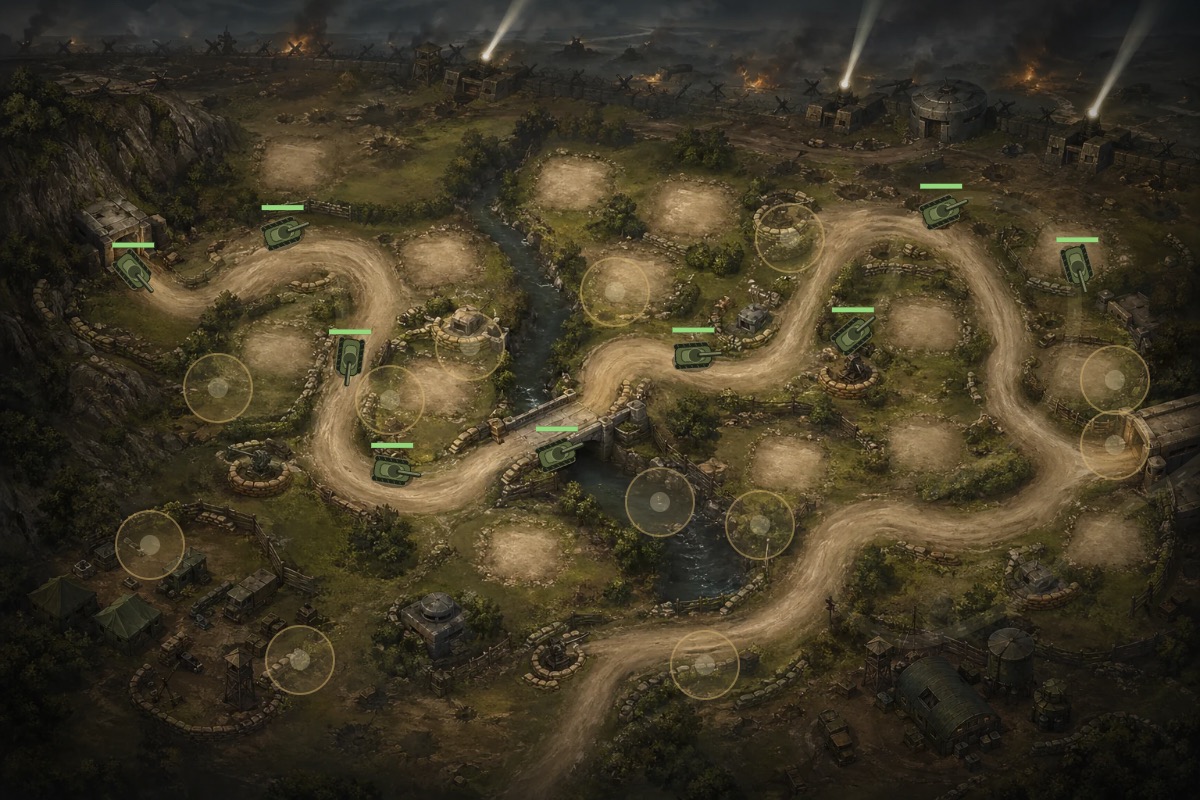
The route problem went through several rounds: entrance correction, upward shifts, right-up shifts, bridge alignment, enemy anchor fixes, narrower lane spread, and build pad relocation. The lesson was clear: if the map is a tower defense map, the road must be authored as gameplay data, not guessed after the art exists. Later, the multi-map system solved this more systematically by drawing procedural roads from the same route data that enemies actually use.
Aircraft created their own visual loop. Early planes followed routes that were too fixed, then later versions moved more freely but looked rough or shaky. The better solution was a hybrid: keep the generated aircraft sprite for visual quality, add only lightweight overlays such as shadow, contrail, and propeller motion, and generate smoother per-aircraft routes with varied entry and exit edges. The plane also needed visual altitude so it did not look glued to the ground. That small separation between aircraft body and shadow made air units feel like air units rather than flat sprites sliding across the battlefield.
Adding Depth Without Losing the Clean Tower Defense Read
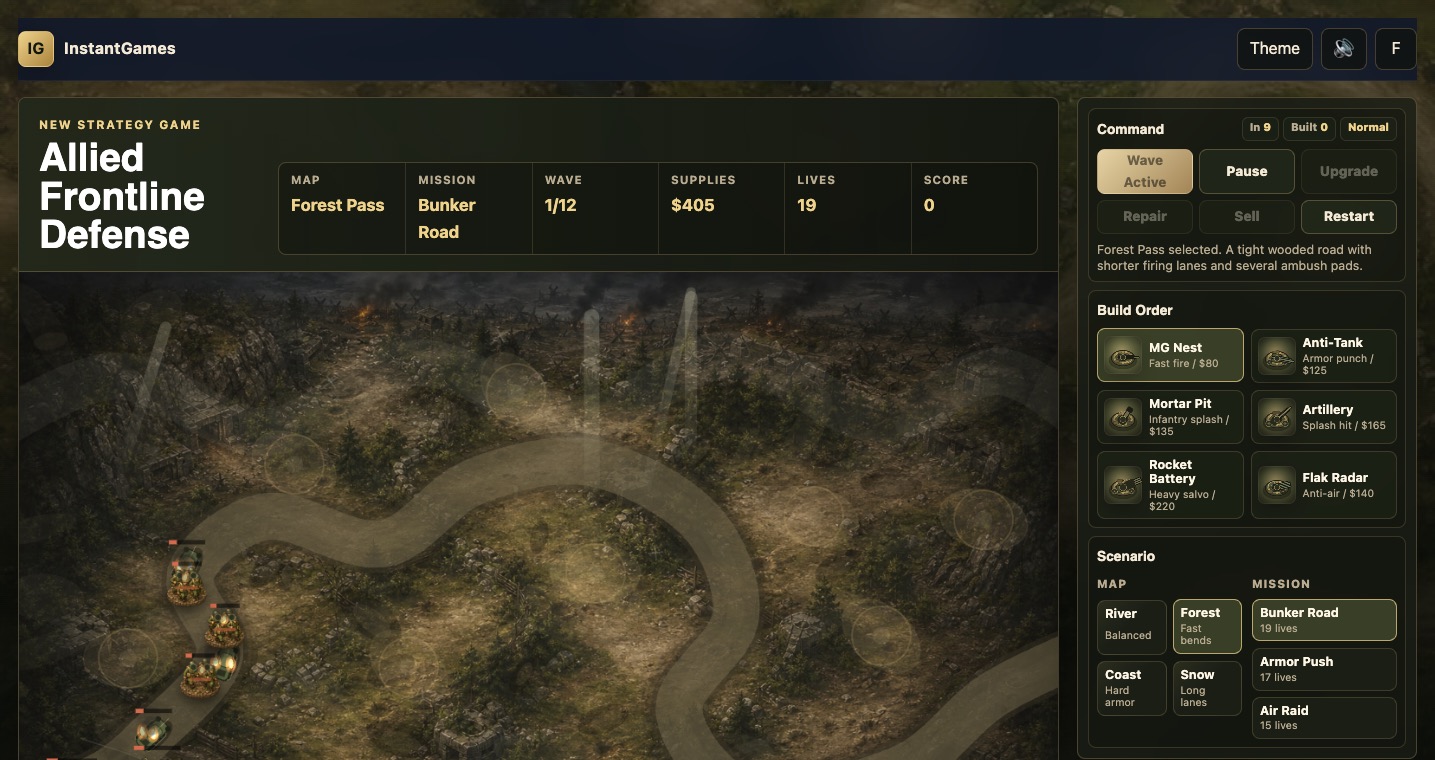
Once the basic game felt playable, the work shifted toward depth. More maps were added: Forest Pass, Coastal Battery, and Snow Ridge joined the original River Crossing battlefield. Each map needed its own terrain mood, route, build pads, starting resources, life count, and difficulty modifier. The important point was not just variety. The new maps were also a chance to fix the route problem at its root by separating base art, road rendering, tower pads, and airspace cues.
Enemy variety also grew. The beta eventually included standard infantry, armored trucks, light tanks, scout cars, heavy tanks, aircraft, bombers, storm infantry, half-tracks, assault guns, and fighter aces. These enemies were not just reskins. Some were faster. Some carried more armor. Some resisted slowing. Some dealt more leak damage. Some attacked defenses. Some demanded anti-air coverage. The game became more readable because each enemy type gave the player a different reason to adjust the build order.
The tower roster expanded from four to six with Mortar Pit and Rocket Battery. This gave the late game more room. Mortar Pit helped handle infantry pressure and clustered ground units. Rocket Battery gave the player a more satisfying answer to heavy armor. The build panel had to be redesigned after that expansion because the old right-side panel became too tall. A game can have good mechanics and still feel clumsy if the player has to scroll past the important controls. The panel was reorganized so battle actions came first, tower choices became a compact grid, and mission/map setup moved into smaller controls.
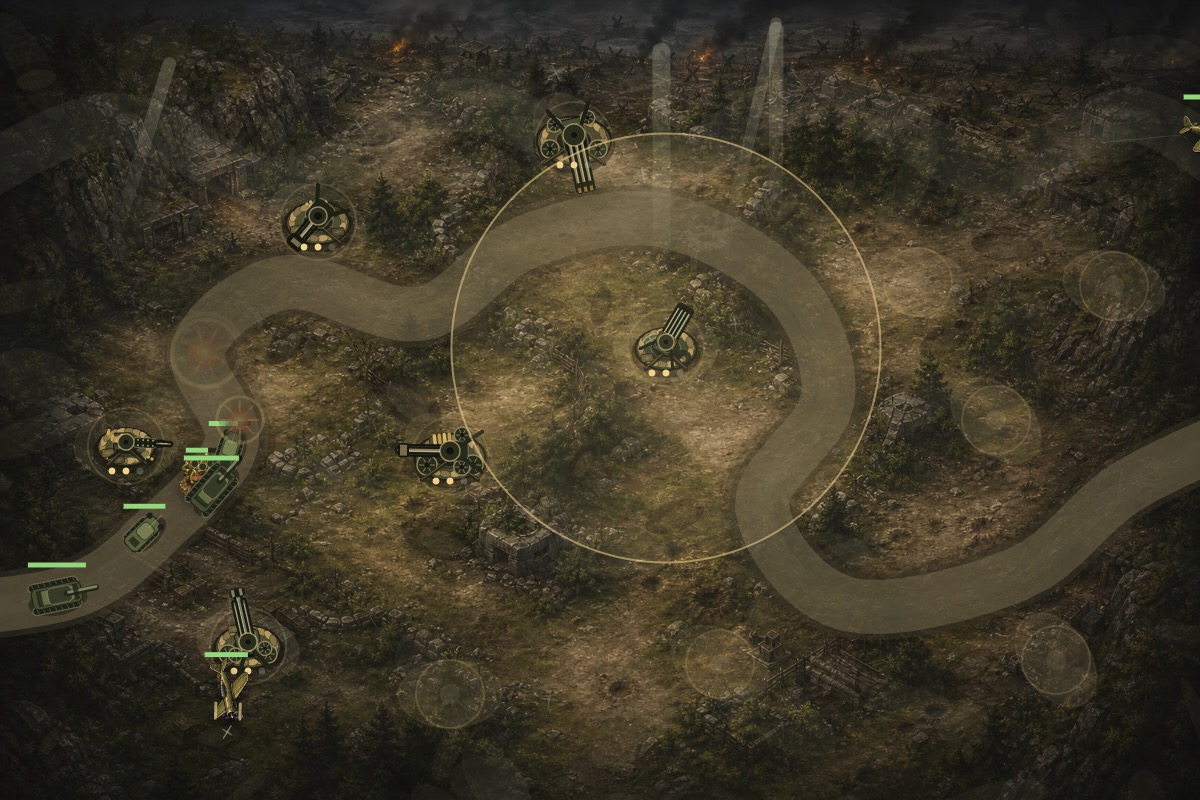
Enemy counter-fire was the largest gameplay shift. In many tower defense games, towers are permanent unless the player sells them. That is simple, but it can make later waves predictable. By allowing half-tracks, assault guns, and bombers to damage towers, the game gained a second layer of pressure. The player was no longer only defending the exit. They also had to protect the defensive network itself. Damaged towers could smoke, become disabled, and require repair, which made the field actions more meaningful.
Difficulty needed careful handling. The first version was too easy, so enemy armor, wave scaling, late-wave density, repair delay, and reward pacing were adjusted. At the same time, the early mission still needed to remain winnable. Difficulty is not just about making numbers bigger. It is about creating useful pressure. The player should lose because the defense plan had a weakness, not because the game suddenly became unreadable. The twelve-wave mission expansion helped because it gave each mission a longer difficulty curve instead of ending just as the system became interesting.
What Made the Build Beta-Ready
The beta label was added only after the game had enough structure to represent the idea honestly. By that point, Allied Frontline Defense had four maps, three missions, twelve waves per mission, six buildable towers, a larger enemy roster, air routes, route-aligned roads, tower damage, repair actions, visual damage effects, improved audio, and a compact command panel. It was still a beta, but it was no longer a sketch.
The final polish before beta publication focused on signals. Low-health enemies now smoke, burn, spark, and flash when hit. Destroyed enemies use procedural explosion particles instead of an image with a visible square background. Towers use consistent battlefield and panel icon language. Roads and build pads were made more transparent so the base art could breathe. Base maps were brightened while road overlays were dimmed. Aircraft gained altitude separation. These details sound small individually, but together they decide whether a player reads the battlefield as a coherent game scene.
The audio also moved from simple generated tones to local battlefield sound assets. Machine gun bursts, anti-tank fire, artillery reports, flak bursts, bullet hits, shell impacts, vehicle destruction, infantry movement, truck engines, tank treads, and aircraft passes all received more specific sound treatment. Sound in a browser game has to be restrained because too many overlapping effects become noise. The goal was not simulation. The goal was to give each weapon and enemy family a clearer identity.
The beta was then published across the website. The game page received beta metadata and copy. The home page highlight and card were updated. The strategy category reflected the beta status. Labs gained an entry. The sitemap was updated. Local browser checks confirmed that the pages opened, that the beta labels appeared in the right places, that the Play Beta link reached the game, and that the game still ran after the site-level changes.
Looking back, the most important design lesson is that tower defense quality is mostly about alignment: visual alignment, route alignment, control alignment, and expectation alignment. Players forgive a beta if it is honest and readable. They do not forgive a road that lies, a tower that aims the wrong way, a plane that flies backward, or a panel that hides the button they need. Allied Frontline Defense improved because each of those problems was treated as a design problem, not merely a bug.
What I Would Keep for the Next Browser Strategy Game
The strongest part of this development process was the short feedback loop. The game changed because screenshots and browser checks were treated as design evidence. When a weapon looked wrong, the fix did not stop at damage values. When enemies drifted off the road, the fix did not stop at moving a single coordinate. When the panel became too tall, the solution was not to ask the player to tolerate it. Each issue was checked in the actual game context, then improved until it made the player experience clearer.
I would keep that process for any future HTML5 strategy game. First, build the smallest complete loop. Second, add enough visual identity that the game has a tone. Third, play the loop with real screenshots, not only with logs. Fourth, watch for moments where the screen contradicts the rules. Fifth, fix those contradictions before adding more content. The order matters. More maps, more enemies, and more towers are valuable only when the core read is trustworthy.
I would also keep the decision to publish the beta as a real site feature. A private prototype can ignore metadata, navigation, mobile layout, screenshots, and entry points. A public beta cannot. Once the game appears on the home page, Labs page, strategy category, sitemap, and dev-log, it has to behave like part of the website. That pressure improves the product. It forces the game page to load cleanly, the card art to communicate the experience, and the documentation to explain why the project matters.
The next step for Allied Frontline Defense should build on that foundation rather than replace it. The game now has a believable battlefield model, a richer enemy roster, and a map system that can expand. Future work should focus on campaign progression, clearer mission rewards, more distinct map identities, stronger late-wave decisions, and perhaps a small tutorial layer for first-time players. The beta is not finished, but it now has enough structure that future improvements can be deliberate instead of reactive.