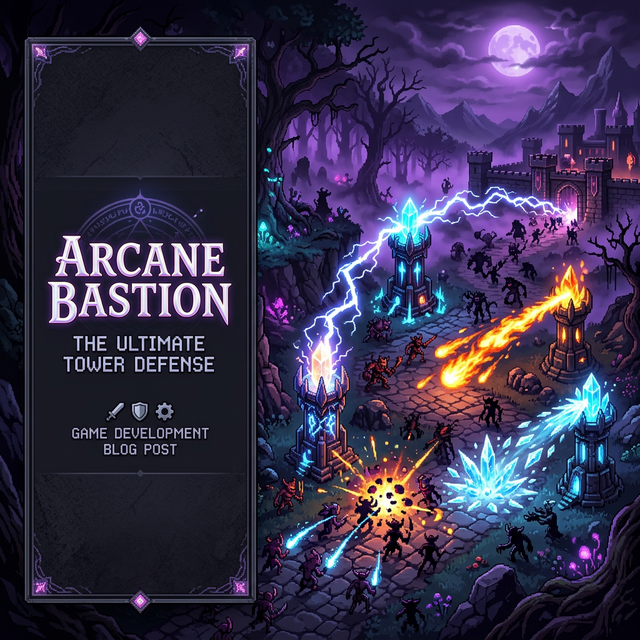
Building Arcane Bastion: A Complete Tower Defense Game With AI-Generated Art and Zero Dependencies
Arcane Bastion is a crystal tower defense game built entirely from scratch using vanilla JavaScript and the HTML5 Canvas API. It features five elemental tower types with three upgrade tiers each, ten unique shadow enemies, AI-generated sprite art and map backgrounds, a fully procedural audio engine, and dynamic tower rotation that tracks enemies in real time. The entire project uses zero external libraries or frameworks — just raw HTML, CSS, and JavaScript.
In this dev log, I'm going to walk you through the entire journey — from the initial grid system and pathfinding to AI-generated art pipelines, the audio engine that synthesizes all sound effects from mathematical waveforms, and the subtle details like smooth tower rotation with recoil feedback. Whether you're building your first tower defense game or you're an experienced developer curious about AI-assisted game art, there's something here for you.
1. Architecture & Tech Stack
Before writing a single line of game logic, I needed to decide on the architecture. Tower defense games have a deceptively complex set of interacting systems: grid management, pathfinding, tower targeting, projectile physics, enemy spawning, wave management, upgrade economics, and UI overlays. Getting the module boundaries right early matters a lot.
I settled on a modular IIFE (Immediately Invoked Function Expression) pattern. Each system is a self-contained module that exposes a clean public API via a returned object. No build tools, no bundlers, no transpilers — just plain <script> tags loaded in dependency order:
// Loading order matters — each module can reference the ones above it
<script src="js/sprites.js"></script>   // Asset loading
<script src="js/map.js"></script>       // Grid data + rendering
<script src="js/tower.js"></script>     // Tower logic + drawing
<script src="js/enemy.js"></script>     // Enemy AI + pathfinding
<script src="js/projectile.js"></script>// Projectile physics
<script src="js/audio.js"></script>     // Procedural sound engine
<script src="js/ui.js"></script>        // HUD + panels + bestiary
<script src="js/game.js"></script>      // Main loop + state machine
<script src="js/demo-mode.js"></script> // Auto-demo + recording
Why no frameworks? Two reasons. First, educational value — building directly on the Canvas API teaches you exactly what's happening at every level of abstraction. Second, performance — a tower defense game with dozens of enemies and projectiles updating at 60fps benefits from direct Canvas rendering without virtual DOM overhead. The total JS payload is about 45KB unminified, which loads instantly.
🏗️ Module Responsibility Map
- sprites.js — Asynchronous image loading with progress callbacks (18 assets)
- map.js — 20×14 tile grid, pathfinding waypoints, background rendering with AI-generated map images
- tower.js — 5 tower types × 3 levels, targeting logic, smooth rotation, synergy bonuses
- enemy.js — 10 enemy types, waypoint-following movement, status effects (freeze, burn, poison)
- projectile.js — Homing missiles, AOE explosions, chain lightning arcs
- audio.js — Web Audio API oscillators generating all SFX + BGM procedurally
- ui.js — Tower selection panel, upgrade/sell popup, enemy bestiary overlay, HUD
- game.js — 60fps game loop, wave state machine, gold/lives/score economy
- demo-mode.js — Scripted auto-demo with MediaRecorder video capture
2. The Grid System & Pathfinding
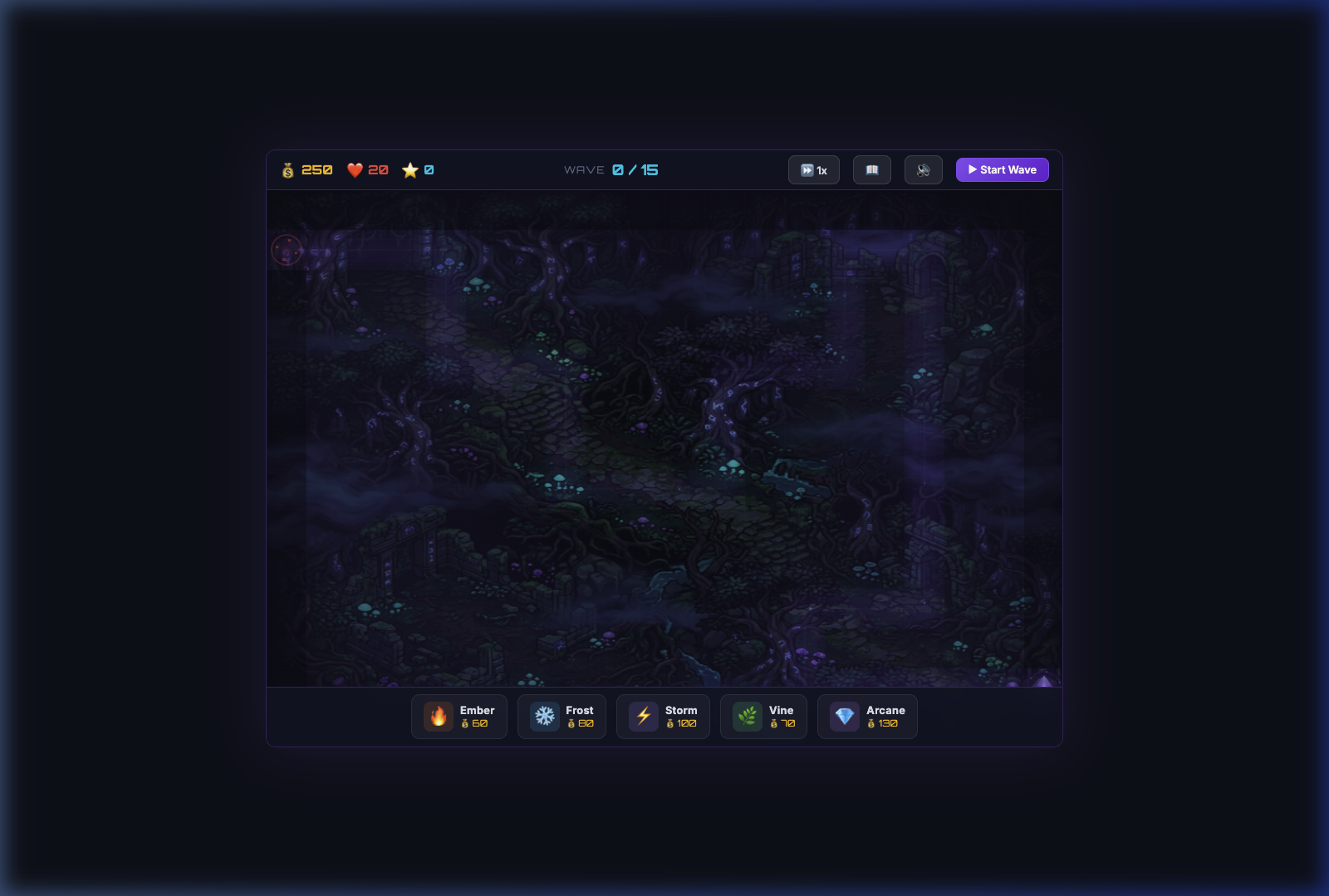
The foundation of any tower defense game is its grid. Arcane Bastion uses a 20×14 grid with 48×48 pixel tiles, giving a canvas resolution of 960×672 pixels. Each cell in the grid is one of three types: EMPTY (buildable), PATH (enemy route), or BLOCKED (environmental obstacle).
Rather than implementing full A* pathfinding, I use a waypoint-based system. The path is defined as a series of grid coordinates that enemies follow sequentially:
const PATH_WAYPOINTS = [
    {x: 0,  y: 7},   // Spawn portal (left edge)
    {x: 4,  y: 7},   // First straight
    {x: 4,  y: 1},   // Turn north
    {x: 7,  y: 1},   // Corner
    {x: 7,  y: 4},   // Turn south
    // ... more waypoints ...
    {x: 19, y: 12},  // Nexus Crystal (right edge)
];
This approach is both simpler and more performant than real-time pathfinding — enemies smoothly interpolate between waypoints, and the path never changes during gameplay. Enemies calculate their direction vector toward the next waypoint and move at their defined speed, switching to the next waypoint when they get within a small threshold distance. Each enemy also pre-calculates the total path length from its current position to the nexus, which is used for the "closest to nexus" targeting priority.
3. Building the Tower System
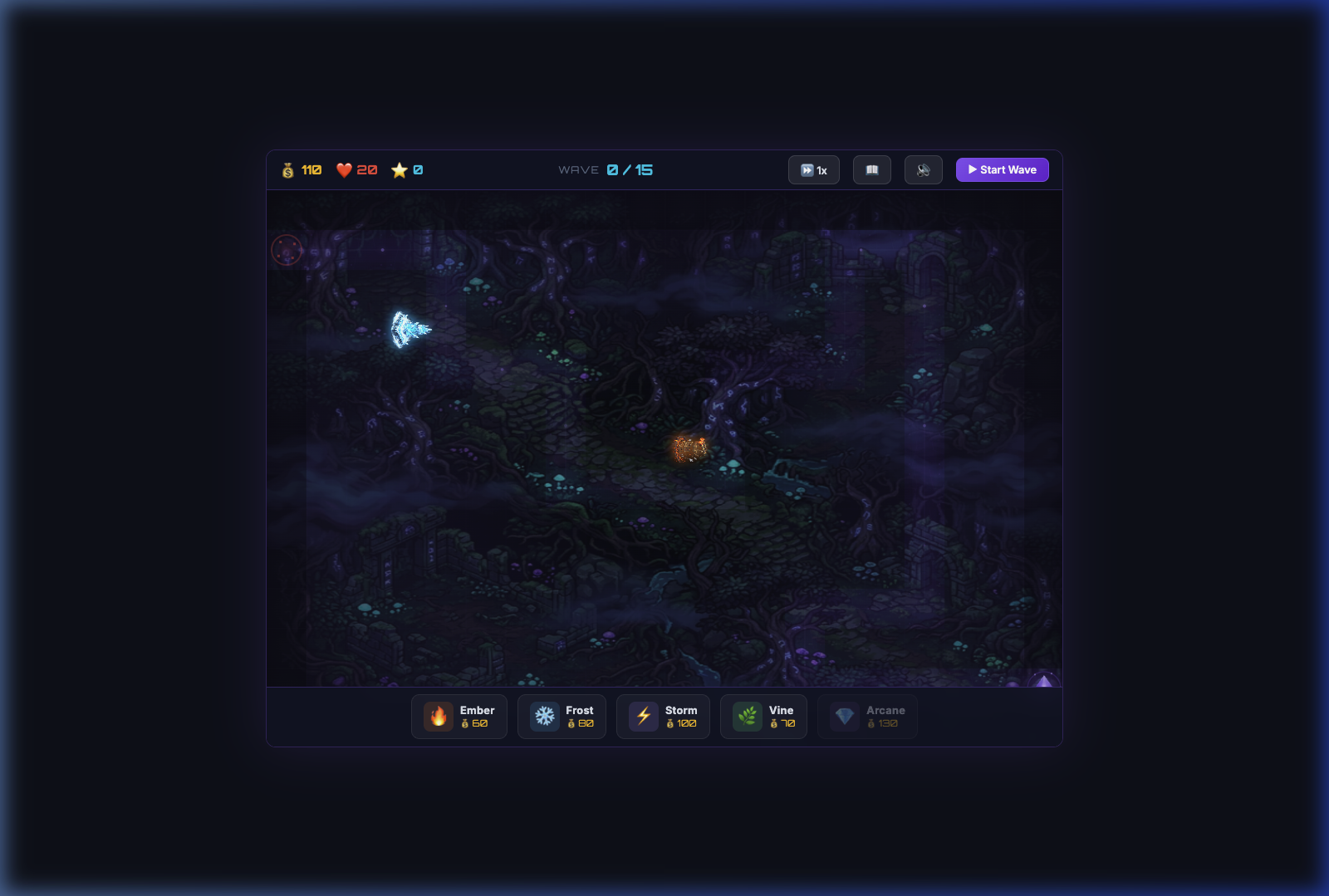
The tower system is the heart of the gameplay. I designed five elemental tower types, each with a distinct strategic role, three upgrade tiers, and unique visual and audio signatures:
🏰 Tower Arsenal
- 🔥 Ember Tower (60g) — Fast-firing fire projectiles with area-of-effect splash damage. The workhorse DPS tower.
- ❄️ Frost Tower (80g) — Ice projectiles that slow enemies by 40%. Essential for crowd control.
- ⚡ Storm Tower (100g) — Chain lightning that jumps between up to 3 enemies. Devastating against clustered groups.
- 🌿 Vine Tower (70g) — Applies a damage-over-time poison effect. Low upfront damage but high sustained DPS.
- 💎 Arcane Tower (130g) — The premium single-target tower. Massive damage per hit with long range, but slow fire rate.
Each tower upgrade increases damage, range, and fire rate while adding a visual level indicator (a pulsing glow aura that intensifies at higher levels). The upgrade costs follow a 1.5× multiplier pattern — Level 2 costs 50% more than the base price, and Level 3 costs 100% more.
Targeting Logic
Tower targeting was one of the more interesting engineering challenges. Each tower runs a targeting scan every frame, checking all enemies within its circular range. The priority is "closest to nexus" — the enemy that has traveled the farthest along the path. This creates natural focus-fire behavior where towers automatically prioritize the most dangerous threats.
findTarget() {
    let bestTarget = null;
    let bestProgress = -1;

    for (const enemy of enemies) {
        const dx = enemy.x - this.x;
        const dy = enemy.y - this.y;
        const dist = Math.sqrt(dx * dx + dy * dy);

        if (dist <= this.range && enemy.pathProgress > bestProgress) {
            bestTarget = enemy;
            bestProgress = enemy.pathProgress;
        }
    }

    if (bestTarget) {
        this.angle = Math.atan2(bestTarget.y - this.y, bestTarget.x - this.x);
    }
}
4. Enemy AI & Wave Management
Arcane Bastion features ten unique enemy types, each spawned from a shadow portal on the left side of the map and marching toward the Nexus Crystal on the right. Every enemy type has distinct stats — health, speed, and gold reward — creating a varied threat landscape across 15 waves of increasing difficulty.
The enemy roster spans from fragile Shadow Wisps (the tutorial fodder of Wave 1) through armored Dark Knights, teleporting Phantoms, swarm-spawning Shadow Packs, spell-casting Liches, massive Stone Golems, skittering Void Beetles, ethereal Wraiths, and culminating in the terrifying Shadow Dragon as the boss encounter.
Wave Design Philosophy
Wave design follows a crescendo pattern: early waves introduce one or two enemy types in small numbers, mid-game waves increase count and mix types, and late waves throw everything at you simultaneously. The wave definition data looks like this:
// Wave 5 example: mixed threat composition
{ enemies: [
    { type: 'shadow_wisp', count: 8, interval: 800 },
    { type: 'dark_knight', count: 4, interval: 1200 },
    { type: 'phantom', count: 3, interval: 1000 },
]}
Enemy health scales non-linearly across waves using a compound growth formula, ensuring that players need continual tower upgrades to keep pace. Gold rewards also scale, feeding the upgrade economy. The game's difficulty curve was tuned through extensive playtesting — too easy early creates boredom, too hard early creates frustration.
Status Effects
Towers don't just deal raw damage — they apply elemental status effects. Frost towers apply a slow debuff that reduces movement speed by 40%. Vine towers apply a poison-over-time effect that ticks damage every second. These effects stack, creating powerful synergies: a Frost + Vine combo means enemies crawl through poison zones, taking massive accumulated damage. This synergy system is what gives Arcane Bastion its strategic depth.
5. AI-Generated Art Pipeline
Perhaps the most unusual aspect of this project is that every single visual asset was generated by AI. No hand-drawn pixel art, no asset store purchases — all 15 sprites (5 towers + 10 enemies) and 3 map backgrounds were created using AI image generation tools.
The workflow for each sprite followed a consistent pattern:
- Prompt engineering — Describe the character with specific details: "top-down view, dark fantasy style, transparent background, 64×64 pixel art, [element]-themed tower/creature"
- Generation — Generate the image using AI tools
- Post-processing — Remove backgrounds, resize to game-appropriate dimensions, adjust brightness/contrast for visibility against dark map backgrounds
- Integration testing — Load into the game, verify rendering at actual game scale, check visual clarity against all three map backgrounds
The biggest challenge was visual consistency. AI-generated images can vary wildly in style between prompts. I solved this by including a consistent style anchor in every prompt: "dark fantasy, pixel art aesthetic, top-down perspective, glowing magical effects." This kept the art cohesive across all 18 assets.
Another challenge was transparency. Early sprite generations had visible rectangular backgrounds that looked terrible against the game map. Each sprite required careful background removal and verification that edges were clean when rendered at the game's actual tile size (50-60px depending on tower level).
🎨 Sprite Generation Stats
6. Dynamic Map Backgrounds
One of the later additions that dramatically improved the game's visual quality was AI-generated map backgrounds. The original game used procedurally generated tile textures — functional, but flat and boring. Replacing them with richly detailed AI-generated backgrounds transformed the entire feel of the game.
Three map themes were created, each tied to a wave range:
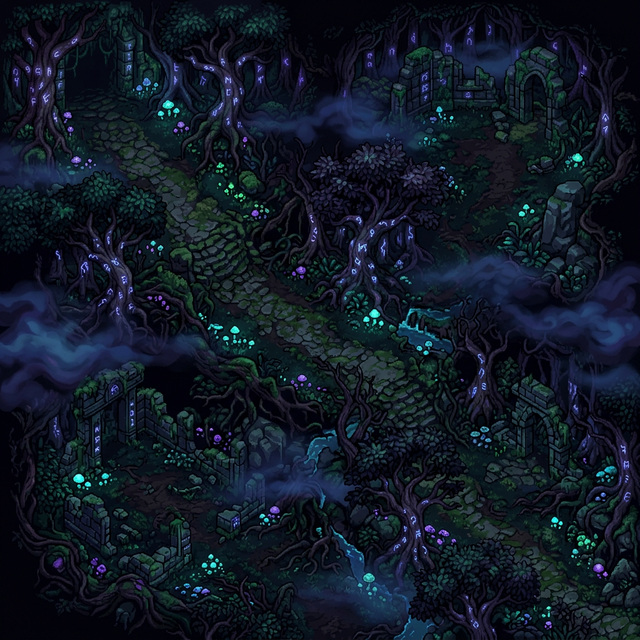
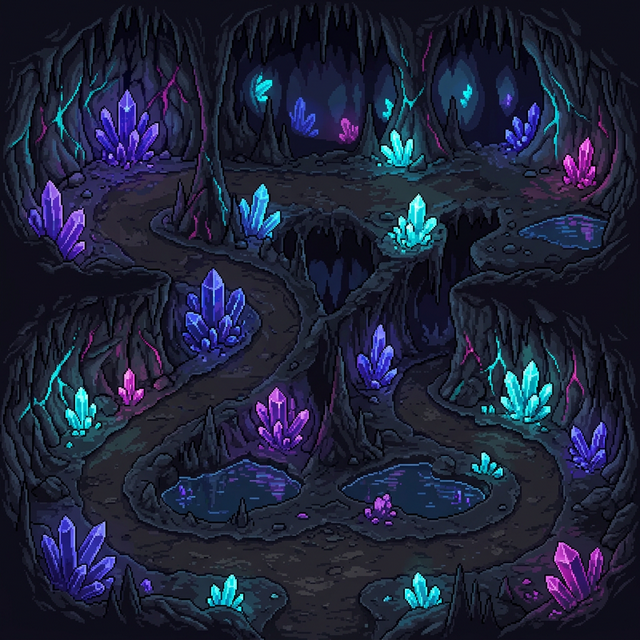
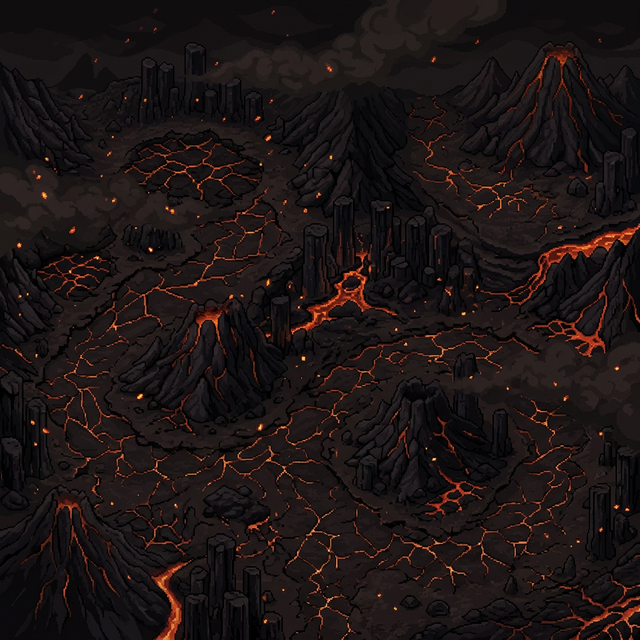
The map system uses a layered rendering approach. The background image is drawn first as the base layer, then a darkening overlay (30% opacity black) is applied for readability, and finally semi-transparent tile overlays are rendered on top — path tiles at 45% opacity and empty tiles at 25%. This creates a beautiful effect where the map background is visible through the gameplay grid without sacrificing visual clarity of the game elements.
function drawMap(ctx) {
    // Layer 1: Background image
    if (currentMapBg) {
        ctx.drawImage(currentMapBg, 0, 0, canvas.width, canvas.height);
    }

    // Layer 2: Darkening overlay for readability
    ctx.fillStyle = 'rgba(0, 0, 0, 0.30)';
    ctx.fillRect(0, 0, canvas.width, canvas.height);

    // Layer 3: Semi-transparent tile overlays
    for (let row = 0; row < GRID_ROWS; row++) {
        for (let col = 0; col < GRID_COLS; col++) {
            const tile = grid[row][col];
            ctx.globalAlpha = tile === TILE.PATH ? 0.45 : 0.25;
            ctx.drawImage(tileTextures[tile], col * TILE_SIZE, row * TILE_SIZE);
        }
    }
    ctx.globalAlpha = 1;
}
The map background automatically switches when entering a new wave range via the getMapForWave() function, called inside startWave(). This gives the player a visual sense of progression as they advance through the game — the environment itself changes around them.
7. Procedural Audio Engine
This is the system I'm most proud of: every single sound in Arcane Bastion is synthesized in real-time from mathematical waveforms. No audio files. No samples. No MP3s. Zero bytes of audio assets. Everything is generated procedurally using the Web Audio API's oscillators, gain nodes, and filters.
The audio engine (audio.js, ~400 lines) provides a complete sound design palette:
- Tower attack sounds — Element-specific: crackling fire bursts for Ember, crystalline tones for Frost, electrical zaps for Storm, organic rustles for Vine, ethereal hums for Arcane
- Enemy death sounds — Satisfying "pop + scatter" using combined sine tones and noise bursts
- Boss death — Dramatic low-frequency sawtooth rumble with noise decay
- UI sounds — Crisp click feedback, melodic upgrade fanfare, wave horn blast
- Background music — Multi-oscillator ambient drone that evolves over time
- Victory/defeat jingles — Ascending (victory) or descending (defeat) note sequences
The Chrome Autoplay Challenge
Perhaps the trickiest engineering challenge of the entire project was making audio work reliably in Chrome. Modern browsers enforce an autoplay policy that prevents AudioContext creation or resumption before the first user interaction (click, tap, or keypress). My initial implementation created the AudioContext on page load during Game.init() — which put it in a permanent suspended state.
The fix required a complete rethink of the audio initialization flow:
function init() {
    // Don't create AudioContext here — too early!
    // Register user-interaction listeners to unlock audio
    const unlock = () => {
        ensureContext();  // Lazy-create AudioContext on first gesture
        document.removeEventListener('click', unlock);
        document.removeEventListener('touchstart', unlock);
    };
    document.addEventListener('click', unlock);
    document.addEventListener('touchstart', unlock);
}

function ensureContext() {
    if (!ctx) {
        ctx = new AudioContext();
        masterGain = ctx.createGain();
        masterGain.connect(ctx.destination);
        // ... setup bgm gain, stream destination, etc.
    }
    if (ctx.state === 'suspended') {
        ctx.resume();
    }
}
Critically, every sound-playing function needed to call ensureContext() before checking if (!ctx) return. Getting this order wrong meant the AudioContext was never created, because the early return prevented ensureContext() from running. This was a subtle bug that took careful debugging to identify.
8. Dynamic Tower Rotation
One of the final polish features that elevated the game from "functional demo" to "wow, this looks alive" was dynamic tower rotation. Towers smoothly rotate their sprite to face whatever enemy they're currently attacking, with a satisfying recoil animation when they fire.
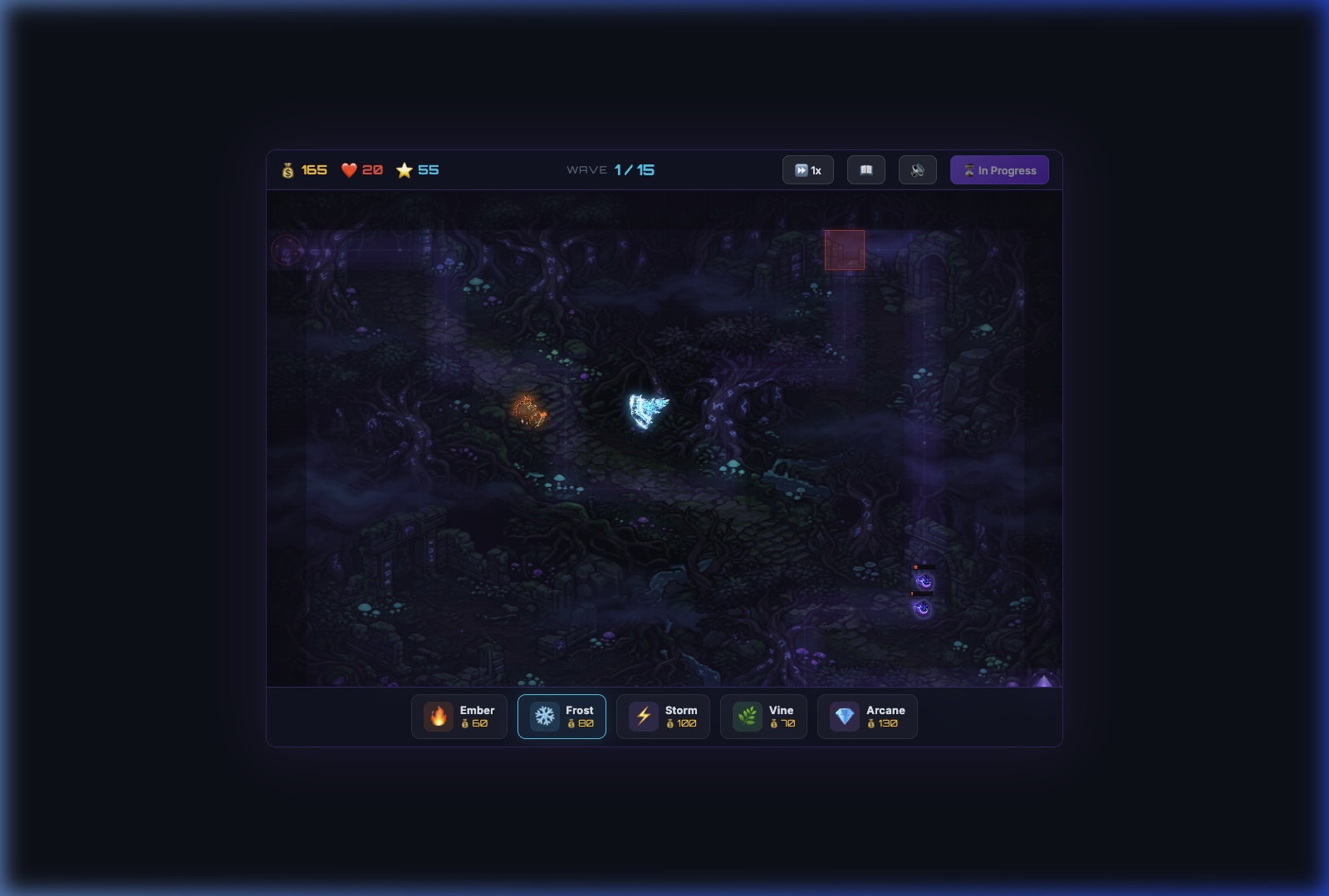
The rotation system uses a smooth angle interpolation approach. Each frame, the tower calculates the angle to its current target, then interpolates toward that angle using a lerp factor:
// Smooth rotation toward target
const targetAngle = Math.atan2(target.y - this.y, target.x - this.x);
let angleDiff = targetAngle - this.smoothAngle;

// Normalize to [-π, π] to avoid spinning the wrong way
while (angleDiff > Math.PI) angleDiff -= 2 * Math.PI;
while (angleDiff < -Math.PI) angleDiff += 2 * Math.PI;

this.smoothAngle += angleDiff * 0.15;  // Smooth interpolation

// Apply rotation when drawing the sprite
ctx.save();
ctx.translate(this.x, this.y);
ctx.rotate(this.smoothAngle + Math.PI / 2);  // +π/2 corrects sprite orientation
ctx.drawImage(sprite, -halfSize, -halfSize - recoilOffset, size, size);
ctx.restore();
The + Math.PI / 2 offset is important — it corrects for the fact that the tower sprites are drawn "facing up" by default, while Math.atan2 returns 0 for "facing right." Without this correction, towers would appear to aim 90° off from their actual target direction.
The recoil effect adds a subtle backward displacement along the facing direction when the tower fires, creating visual feedback that something just happened. Combined with the procedural audio, it makes every shot feel impactful.
9. Auto-Demo & Video Recording
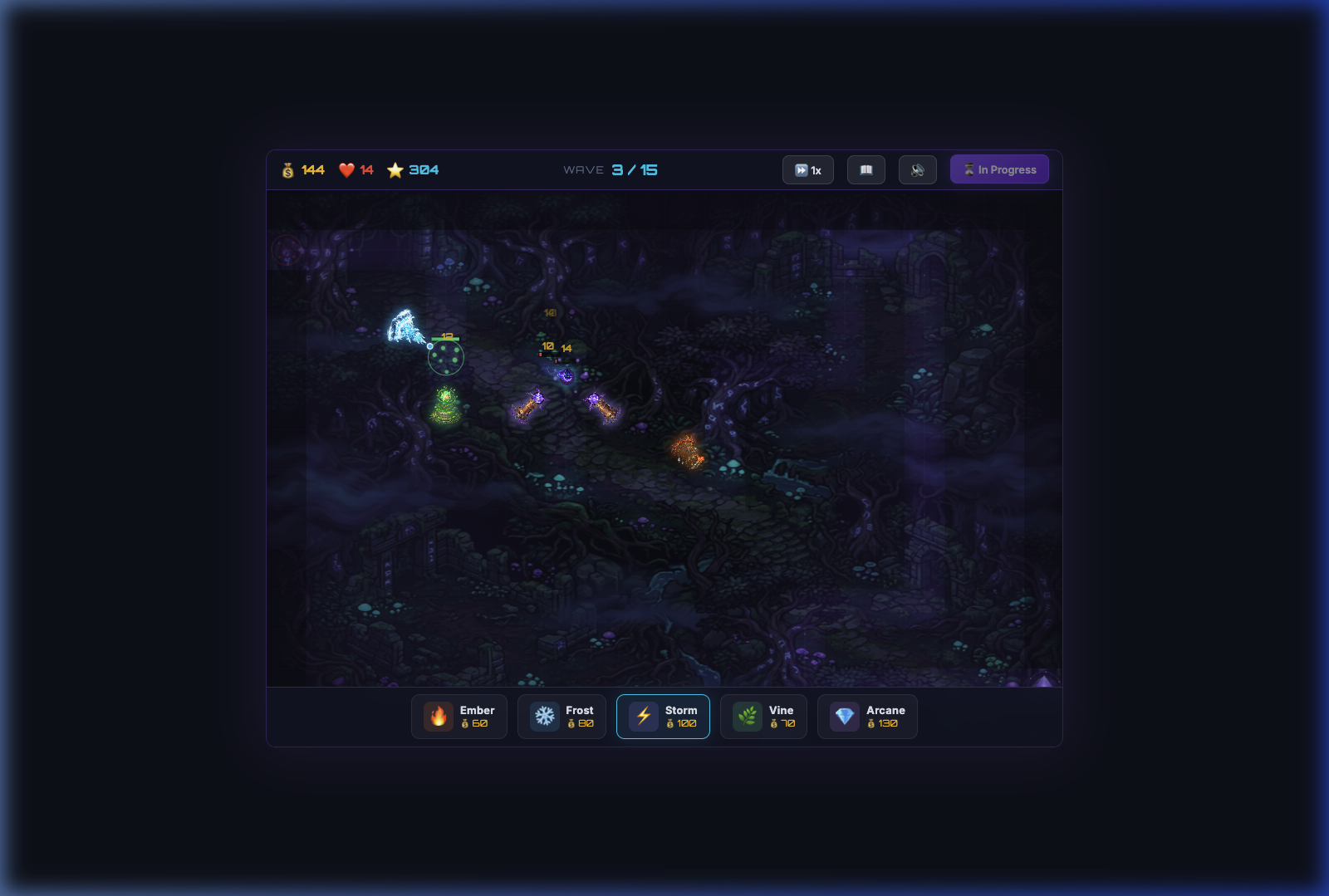
As a final showcase feature, I built a fully automated demo mode that plays through the game with scripted actions, and records it as a video file — complete with audio.
The demo system (demo-mode.js) is a scripted sequence of timed actions. Each step has a delay and an action callback:
const SCRIPT = [
    { delay: 2000, action: () => {
        showCaption('🔥 Deploying Ember Tower...');
        Game.tryPlaceTower('ember', 6, 3);
    }},
    { delay: 1500, action: () => {
        showCaption('❄️ Deploying Frost Tower...');
        Game.tryPlaceTower('frost', 8, 6);
    }},
    // ... 30+ scripted steps covering towers, waves, upgrades, bestiary
];
In-Browser Video Recording With Audio
The most technically interesting part of the demo system is the in-browser video recording with audio capture. This was necessary because Playwright's headless video recording doesn't capture Web Audio output.
The solution uses the browser's MediaRecorder API, combining two streams:
canvas.captureStream(30)— captures the Canvas at 30fps as a video trackAudioContext.createMediaStreamDestination()— captures the Web Audio output as an audio track
Both streams are merged into a single MediaStream, fed to a MediaRecorder, and the resulting WebM blob is extracted via Playwright automation and converted to MP4 using ffmpeg. The result is a high-quality demo video with full game audio — all captured from within the browser itself.
10. Lessons Learned
Building Arcane Bastion from zero to playable demo taught me several valuable lessons about game development, AI tooling, and vanilla JavaScript architecture:
AI Art Is a Game-Changer for Solo Developers
The ability to generate all visual assets with AI reduced what would traditionally be weeks of art production to hours. However, it's not magic — you still need to iterate on prompts, post-process backgrounds, verify transparency, and ensure visual consistency across dozens of assets. The "last mile" of AI art integration (sizing, brightness, background removal) still requires manual effort and a good eye.
Script Loading Order Matters
When using vanilla JS modules without a bundler, dependency order is everything. Loading ui.js before audio.js causes runtime errors because UI event handlers reference AudioEngine before it exists. This is the kind of bug that bundlers hide from you — building without them teaches you to think about dependency graphs explicitly.
Chrome's Autoplay Policy Is Non-Negotiable
You cannot create or resume an AudioContext before user interaction. Period. No workaround, no hack. You must defer AudioContext creation to the first user gesture. Every tutorial that creates AudioContext in DOMContentLoaded is setting you up for silent failure in production.
Visual Polish Converts "Tech Demo" to "Game"
The three changes that made the biggest visual impact were: (1) replacing procedural tile textures with AI-generated map backgrounds, (2) adding glow auras and brightness boosts to tower sprites for contrast against dark maps, and (3) dynamic tower rotation. None of these affect gameplay mechanics, but they transform the player's perception from "looking at a programmer art prototype" to "playing an actual game."
Procedural Audio Is Worth the Effort
Synthesizing all sounds from waveforms means zero audio assets to manage, instant loading, and infinite control over sound design. The downsides are: higher code complexity (~400 lines just for audio), difficulty creating "organic" sounds (explosions and impacts are hard to synthesize convincingly), and the Chrome AudioContext lifecycle management headache. For a small game like this, the tradeoff is positive.
🏰 Play Arcane Bastion
Try the game yourself — place towers, fight waves of shadow creatures, and defend the Nexus Crystal!
▶ Play NowWhat's Next?
Arcane Bastion is currently a playable demo with 15 waves. Potential future work includes: adding persistent progression (high scores, unlockable tower skins), more enemy types with special abilities (teleporting, shield-generating, or splitting on death), boss waves with unique mechanics, and possibly a level editor. The modular architecture makes all of these extensions straightforward to build.
The entire source code is available in the InstantGames Lab. If you're interested in building your own tower defense game, start with the grid system and pathfinding — once enemies can walk from A to B, everything else layers on top naturally.
Happy building! 🏰