In This Dev Log
From Visual Target to Playable Loop
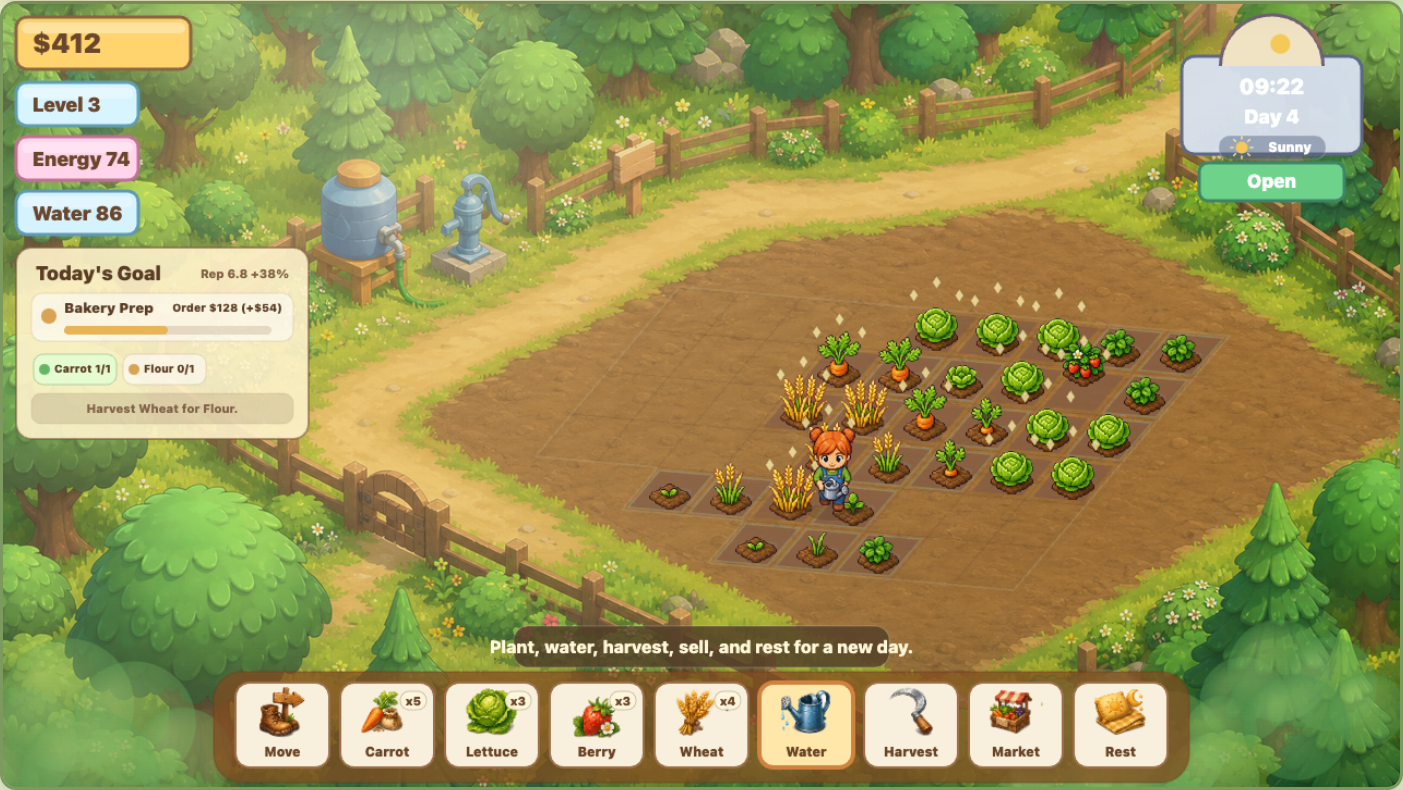
The first request for Sunny Farm Days was not a feature list. It was a mood: a cozy farm like a polished farming life sim screenshot. That meant the first design problem was not only mechanical. The game had to feel soft, readable, and satisfying before the systems became complex. The player should immediately understand that this is a calm farming game about tending plots, planning the day, and slowly improving the farm.
The core loop was intentionally lightweight. A new day starts with refreshed energy and water. The player buys seeds, selects a plot, plants crops, waters them, harvests mature produce, delivers market orders, sells extras, and rests for the next day. A single day is short enough to play in a few minutes, but the farm grows across many days through better tools, more crops, more plots, and stronger market rewards.
The game was built as a static HTML5 browser game, using a canvas stage for the farm and regular HTML controls for the surrounding interface. This matched the rest of InstantGames: no heavy framework, no build pipeline, and no separate app shell. The advantage is speed. A new feature can be implemented, opened locally, tested in the browser, and published with the rest of the static site.
The first playable version already included the basic loop: money, seeds, crop growth, watering, harvests, selling, resting, and a farmer character that could move across the field. That early version was useful because every later change could be judged inside the real experience. If a feature did not improve the actual farm screen, it was not ready.
Layered Map and Shared Farm Coordinates
The visual map became one of the most important parts of the project. A farming game needs a pleasant background, but the field is also a precise interaction surface. If a crop appears on one tile while the watering stream lands on another, the player immediately loses trust. For Sunny Farm Days, the farm grid had to control drawing, clicking, farmer movement, tool animation, crop placement, and water targeting from one shared coordinate model.
The solution was a layered scene. The base map gives the farm its forest path, fence, water tank, pump, trees, and soft countryside setting. Above that, the game draws the farm ground, plot grid, crops, water diamonds, particles, farmer, foreground foliage, weather, time lighting, and UI. The map art creates mood, but the plot model decides where gameplay objects actually live.
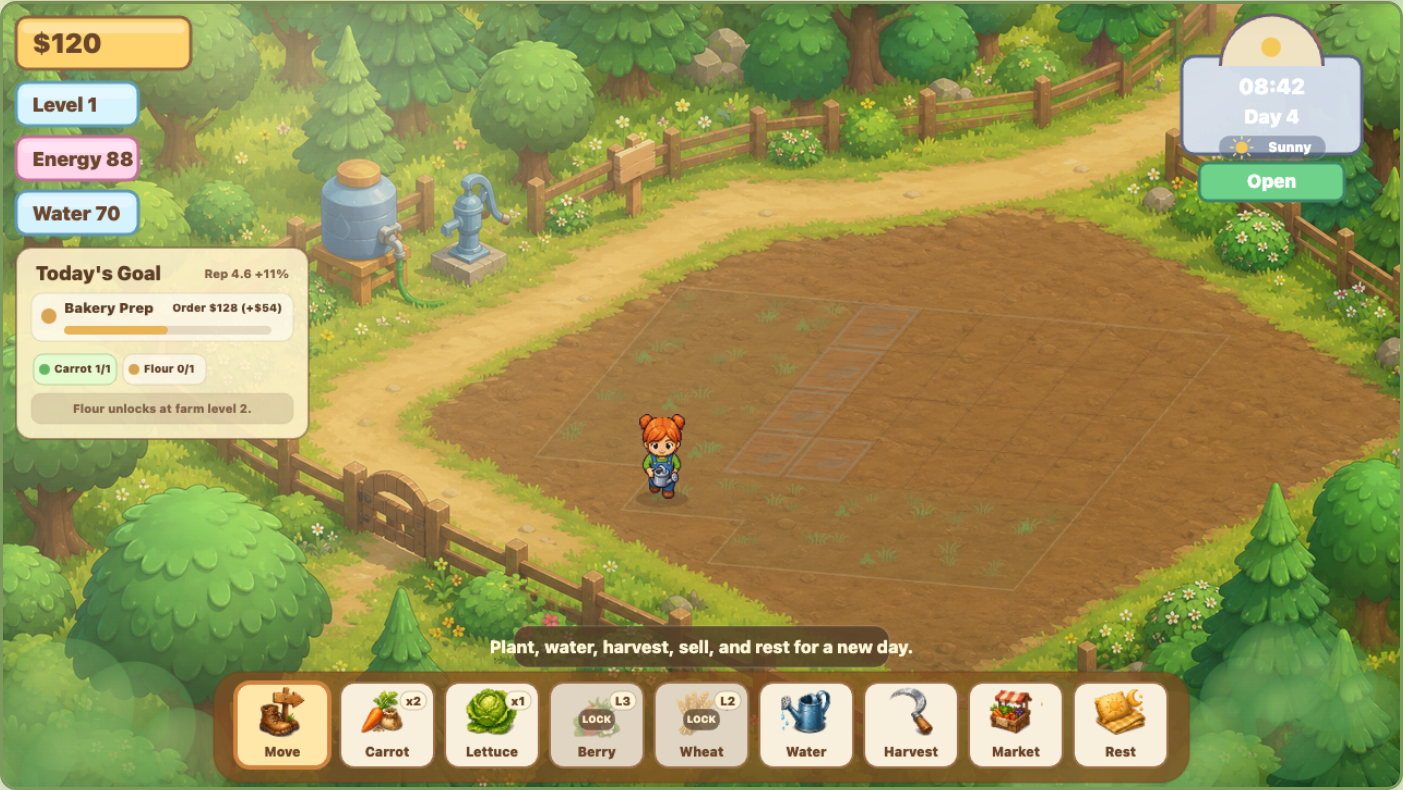
Several early screenshots exposed alignment problems. Some plots sat too close to the road. Some generated ground art and the playable grid did not fully agree. Watering effects appeared beside the selected crop instead of on it. Each of those issues came from the same root cause: more than one system was trying to describe tile position. The fix was to make the plot coordinate helpers the shared source for hit testing, target points, crop drawing, farmer destinations, and tool effects.
The field was also redesigned as a set of reusable map units. Instead of painting every future plot with visible "L2" or "L3" labels, the game now treats expansion land as subtle terrain states: grassed-over future beds, cleared soil, blocked edges, tilled beds, watered beds, planted crops, and mature harvest beds. That makes the farm feel expandable while still looking like a place, not a debug grid.
How the layers work together
- The base map is the illustrated farm setting and does not decide gameplay by itself.
- The plot model stores which farm tiles are usable, locked, planted, watered, mature, or blocked.
- The renderer draws the map in layers so crops, tools, weather, and the farmer appear in the right order.
- The farmer, water stream, crop sprites, and click targets all use the same tile center and tile bounds.
Generated Sprites and Action-Specific Animation
The game needed more than one cute farmer image. The farmer had to walk toward a tile, face the correct direction, plant seeds with a shovel, water with a can, and harvest with a sickle. Early versions revealed several animation problems: the farmer walked backward, slid across the field without leg motion, used the watering pose while planting, and sometimes poured water from empty air instead of from the can.
Those problems were fixed by treating the farmer as a set of action-specific sprite states instead of a single generic character image. A walking sheet handles movement. A watering body sheet gives the correct can pose. Planting uses a different tool pose with a short dig-and-seed rhythm. The water stream is drawn from the can nozzle toward the selected plot, so the effect belongs to the farmer's current tool instead of appearing as a floating animation.
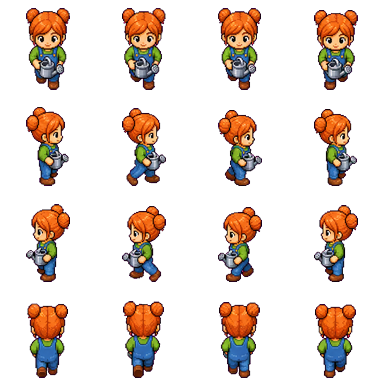
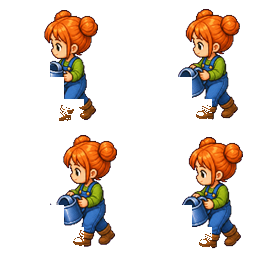
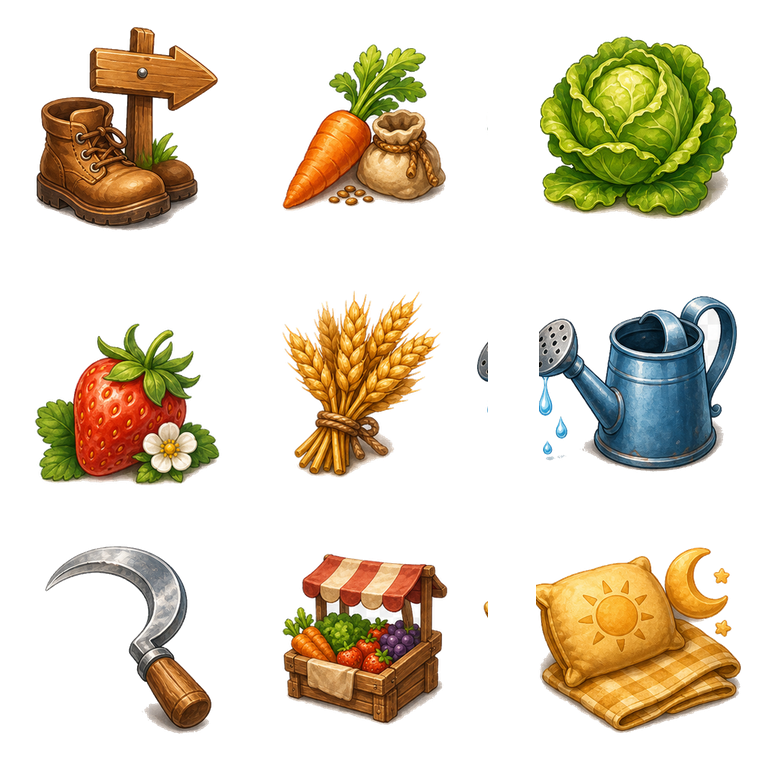
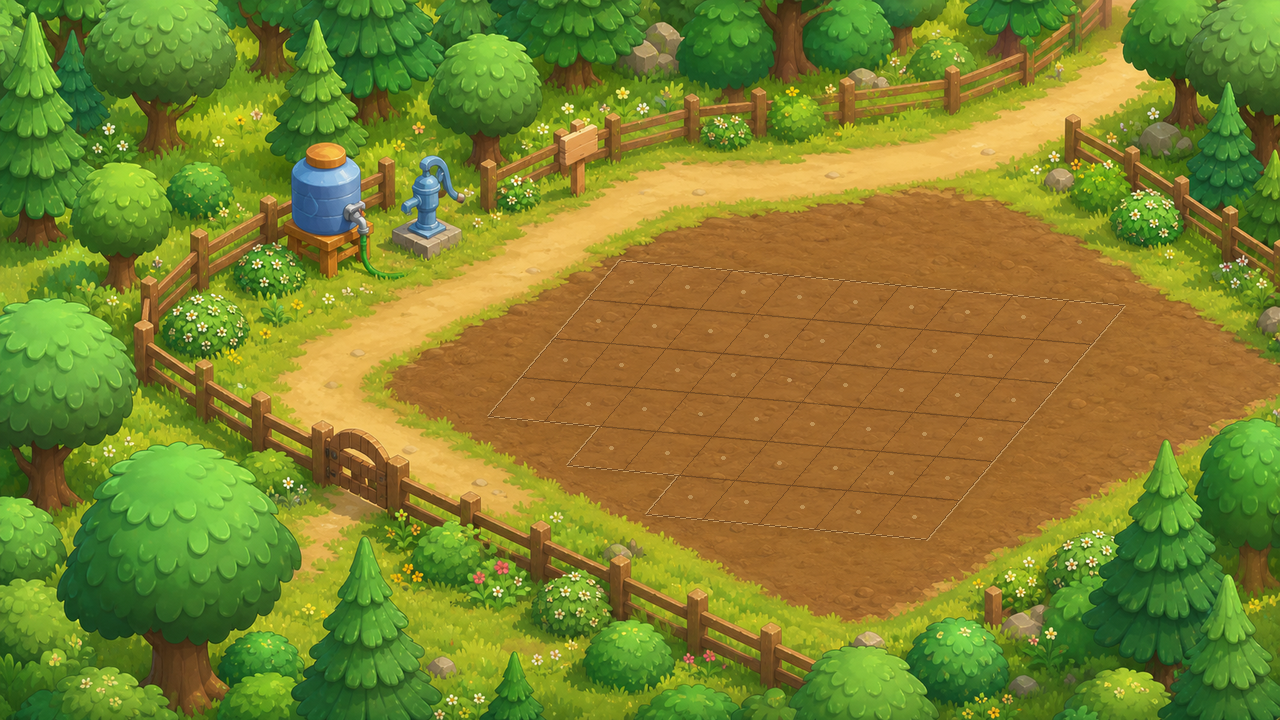
The sprite workflow used generated 2D art and post-processing to produce transparent assets that could be loaded by the game. The important rule was practical: every generated asset had to survive real gameplay. If a beautiful sheet did not align, did not face the right way, had a bad transparent edge, or made the tool effect feel disconnected, it was adjusted or replaced with a more controlled drawing layer.
This is why some elements are drawn procedurally at runtime. The water arc, water splash, selection outline, crop sparkle, rain streaks, puddles, and time lighting respond to the actual game state. Static art gives the game its warmth, while runtime drawing keeps actions accurate.
Crop States, Orders, Economy, and Progression
Once the farm looked believable, the game needed stronger reasons to play beyond repeating the same click sequence. The first gameplay pass made each crop a real choice. Carrots grow quickly and provide steady early cash. Lettuce is stable and useful for orders. Berries take longer but are more valuable. Wheat matters because it can be processed into flour. The crop data includes seed cost, grow time, sale value, yield, unlock level, and order value.
Each plot moves through clear states: empty, planted, dry, watered, mature, harvested, or locked. Water matters because a crop that is not cared for should not feel the same as one that was tended properly. The game also tracks quality and care, so tools, weather, and player attention can affect outcomes over time.
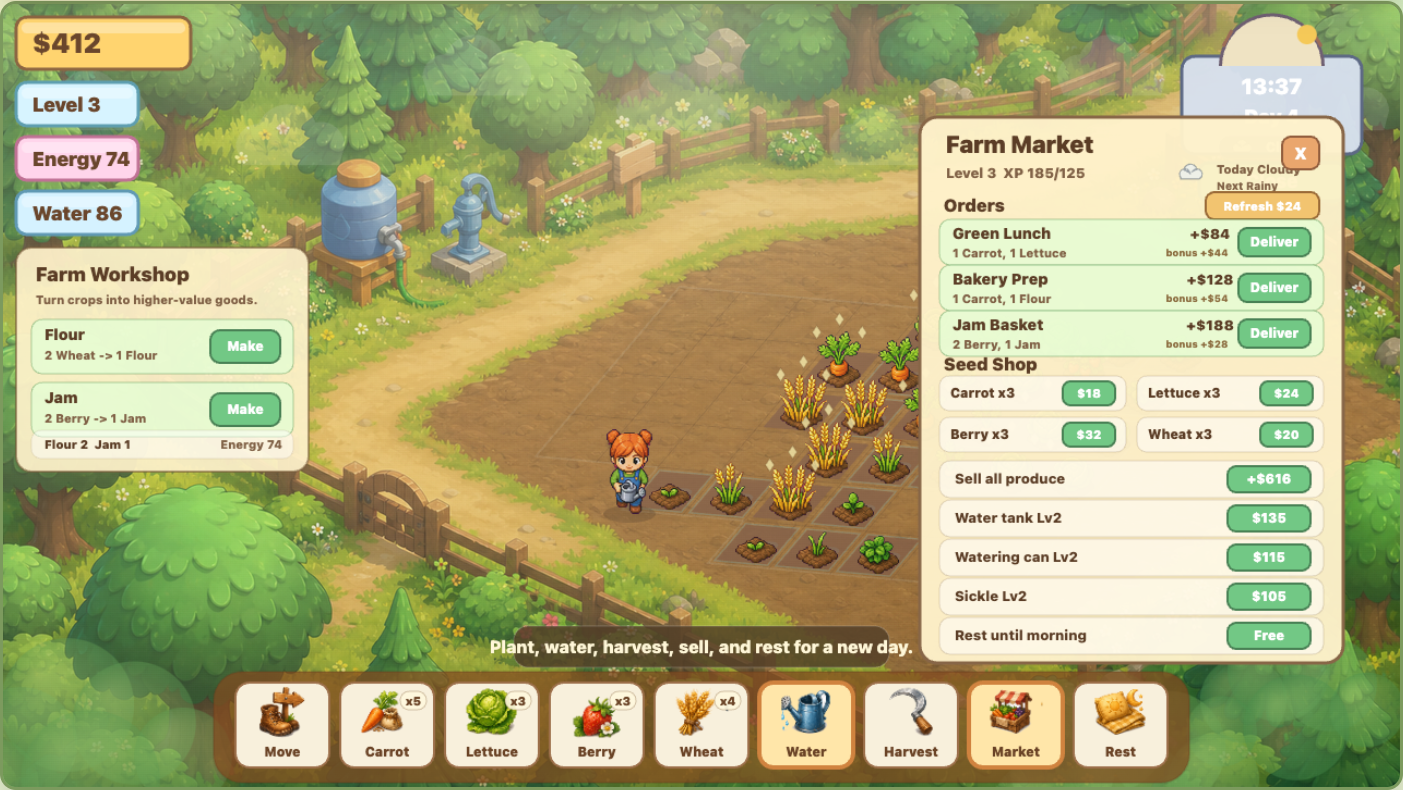
The market gives the loop a stronger goal. Ordinary selling gives quick money. Orders pay better and raise reputation, but they require specific crops or processed goods. This creates a small planning problem every day: should the player sell all produce immediately, or hold carrots, lettuce, wheat, berries, flour, or jam for a better order?
Purchases were changed to require confirmation because direct buying was too easy to trigger by accident. That small change matters in a resource-limited game. If the player has only enough money for one upgrade or one seed batch, a mistaken click should not ruin the day. The same logic shaped the daily goal panel, which keeps the current target visible without forcing the player to open the market constantly.
Early loop
Buy seeds, plant, water, wait, harvest, sell, and rest.
Goal layer
Daily orders and a short-term goal panel guide the player toward a useful plan.
Growth layer
Farm level unlocks crops and plots, while tool upgrades improve water capacity and action efficiency.
Economy layer
Reputation improves order value, and processing turns wheat into flour or berries into jam.
The current version is still lightweight, but it now has the structure of a farming sim: daily limits, crop choice, money pressure, order planning, tool upgrades, farm expansion, and a reason to come back for another day.
Weather, Rain, and Time Lighting
Time needed to be visible, not only displayed in a corner. The first lighting pass was too subtle, especially around 20:00. The evening overlay was strengthened so late day and night are clearly different from morning. The farm now shifts through brighter day color, warmer evening tones, and darker night tint. This makes resting feel like part of the day cycle rather than just a reset button.
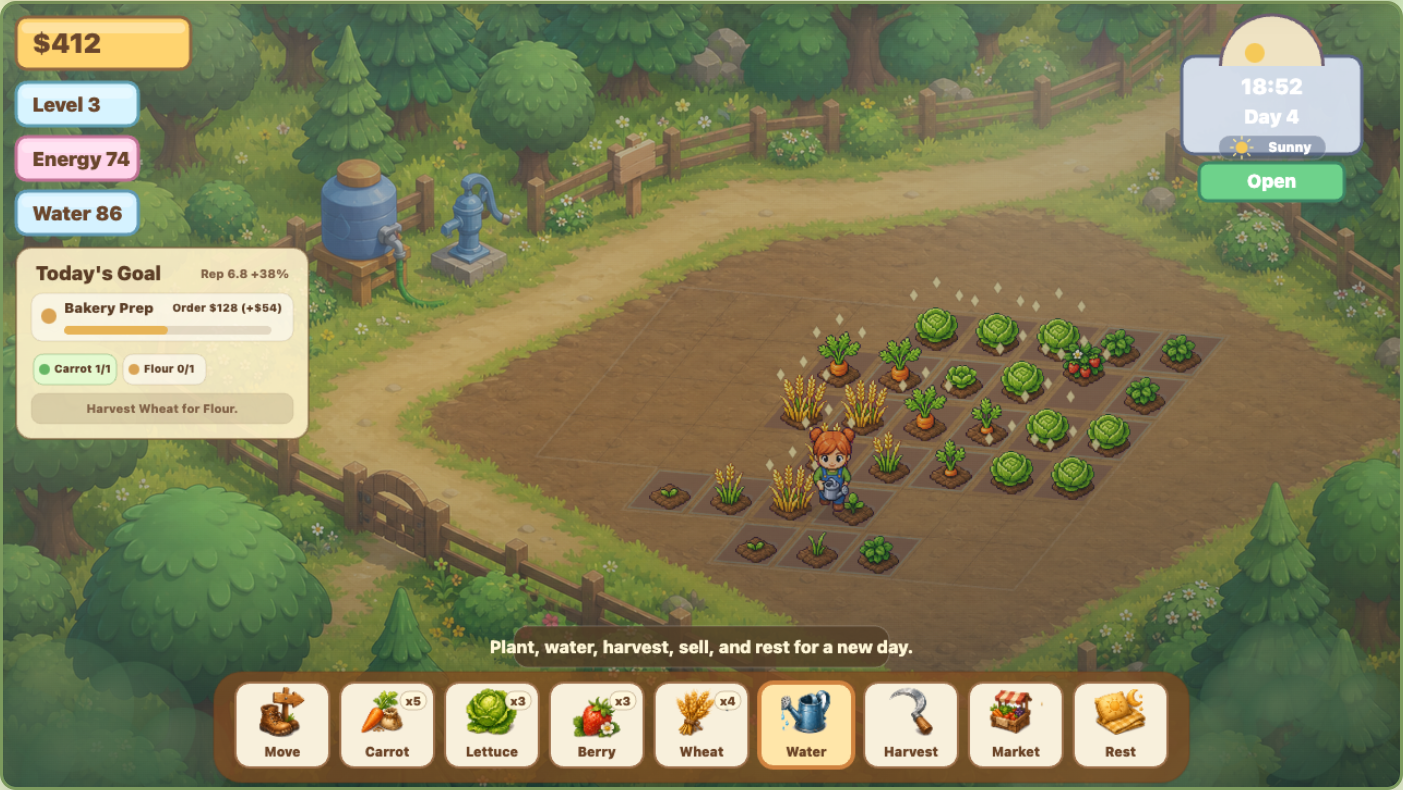
Weather was added after the daily loop became stable. Rainy days can help with watering, cloudy days change the pace, and sunny days make water planning more important. The weather system is intentionally simple right now, but it already affects the player's decisions because water, crop care, and time are tied together.
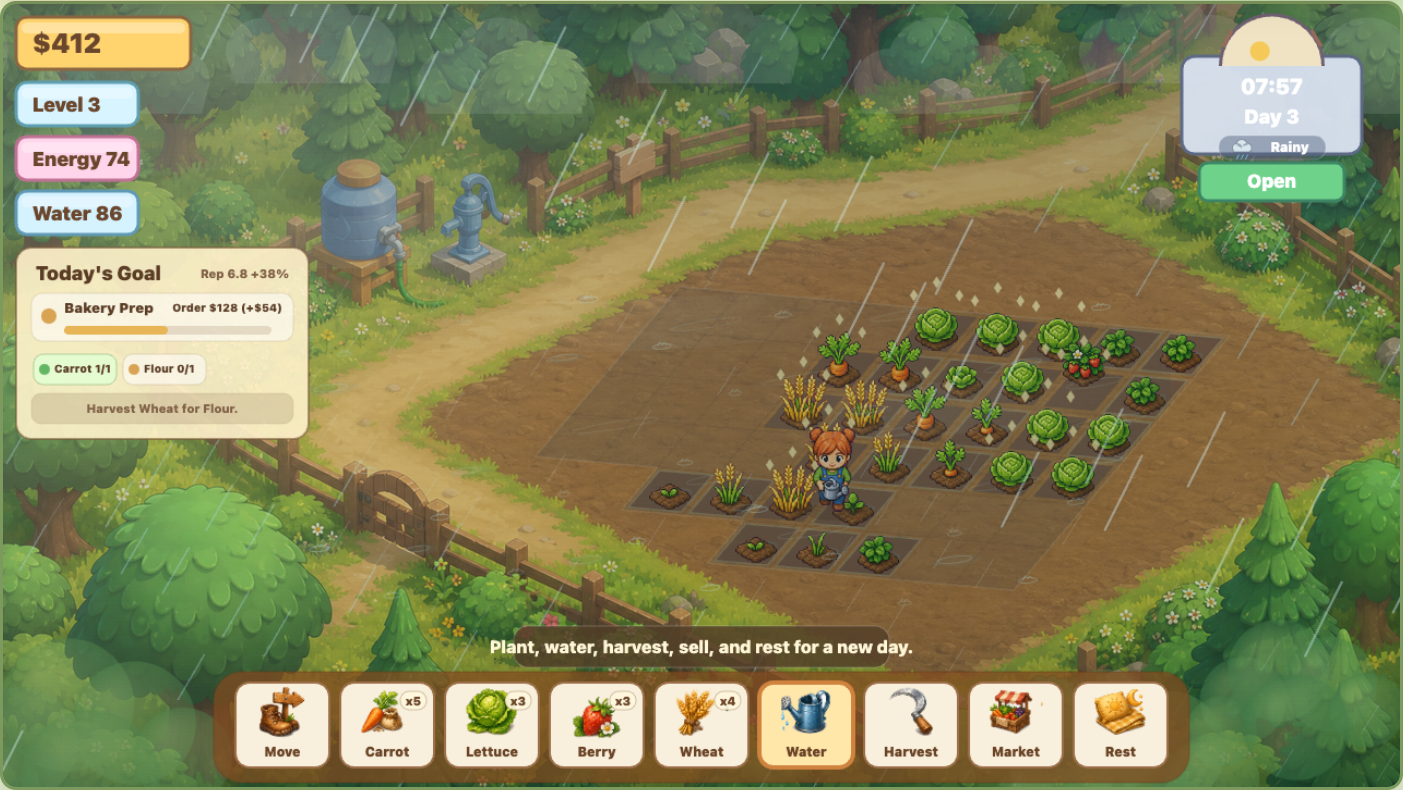
The first rain version looked too simple, so it was rebuilt as a layered effect. Thin diagonal streaks create the main rainfall. Larger foreground drops add depth. Transparent mist sits near the tree line. Puddles and small ground rings make the field feel wet. The whole scene receives a cooler overlay. The result is still lightweight enough for a canvas game, but it reads as weather rather than a few lines drawn over the screen.
Testing, Publishing, and Lessons
Sunny Farm Days improved because every complaint was tested on the actual screen. When the farmer walked backward, the direction logic and sprite mapping were checked in motion. When the farmer slid instead of walking, animation timing was added. When watering appeared beside the crop, the tile coordinate model was traced until the visual target and selected plot agreed. When locked plot labels looked ugly, the map unit design replaced visible level labels with subtler terrain states.
The game also gained internal helpers for repeatable checks. The farm state can be advanced, described, and inspected without depending only on manual clicks. That made it easier to test day changes, crop growth, weather, and market behavior. Browser screenshots were still essential, because many issues were not logical errors. They were visual mismatches.
The current published version is playable online with the core farming loop in place. It is not the final form of Sunny Farm Days, but it now has the foundation needed for the next layer: animals, seasonal crops, sprinklers, storage upgrades, more processing recipes, more farm buildings, and a larger set of map units.