Building Pixel Warrior: How I Built a Complete 2D Action Game Demo Using AI Tools in One Day
From blank canvas to playable combat demo. Sprite animation, procedural chiptune music, enemy AI, combo attacks, HP bars — all built from scratch in a single marathon coding session. Here's the raw, honest story of what worked, what broke, and what surprised me.
Context: Why This Experiment?
I've been running InstantGames for a while now — building HTML5 browser games, mostly small arcade titles. The kind of stuff that's fun in short bursts. But I'd been curious about something bigger: could I take a hand-drawn sprite sheet, pass it through modern AI development tools, and produce a full-featured action game demo in a single sitting?
Not a tech demo with stick figures. An actual game with animated characters, combo attacks, enemy AI, sound effects, background music, HP bars, and a polished demo mode. The kind of thing you'd show at an indie game meet and feel okay about.
The answer, as it turned out, was yes. But the path there was messy, surprising, and genuinely educational. Let me walk you through it, step by step.
Phase 1: Sprite Sheet Processing & Animation
Everything started with a sprite sheet. I had a reference image — a pixel art character with red hair, drawn in a chibi anime style, with around a dozen action poses laid out in a grid. The first challenge was turning that single image into something a game engine could actually use.
The Sprite Extraction Pipeline
I wrote a Python script (process_ai_sprites.py) that takes a sprite sheet image and slices it into individual frames. The script handles:
- Grid-based detection of character boundaries
- Transparent background extraction
- Metadata generation (frame count per action)
- Automatic naming and folder organization
What made this tricky was that the source sprite sheets weren't perfectly aligned. Some rows had 6 frames, others had 8. Some had text labels baked into the pixels that needed to be cropped out. The script went through several iterations before it could reliably process different layouts.
Building the Animation Controller
With individual frames extracted, I needed an animation system. I built a custom AnimationController class in JavaScript that handles frame-by-frame playback with configurable FPS, looping, and completion callbacks. The key design decision was supporting interruptible vs. locked animations — you can cancel a walk cycle at any time, but an attack combo must play through to completion.
// Each animation tracks its own frame index and timing
anim.forcePlay('blonde_hair/attack1', 12, () => {
    // Callback fires when all frames complete
    state.actionLocked = false;
    state.currentAction = 'idle';
});
This callback-based architecture turned out to be critical. It meant I could chain combo sequences naturally — attack1's completion callback sets up the window for attack2, and so on. It's a small design choice, but it saved me from building a separate combo state machine later.
Phase 2: When AI-Generated Sprites Changed Everything
Here's where things got interesting. The original sprite sheets I had were decent, but they had issues — text labels baked into the frames, inconsistent sizing, and some actions were missing entirely. I needed 13 distinct character actions across two visual states (red-haired peaceful mode and blonde combat mode). That's a lot of pixel art.
So I tried something I hadn't done before: using AI image generation to create clean, consistent sprite sheets from scratch.
The moment AI-generated sprites loaded up and the character started moving smoothly, I felt something shift. It wasn't just "faster" — it was a fundamentally different creative loop. I could describe what I wanted, see it generated, test it in-game, and iterate in minutes instead of hours.
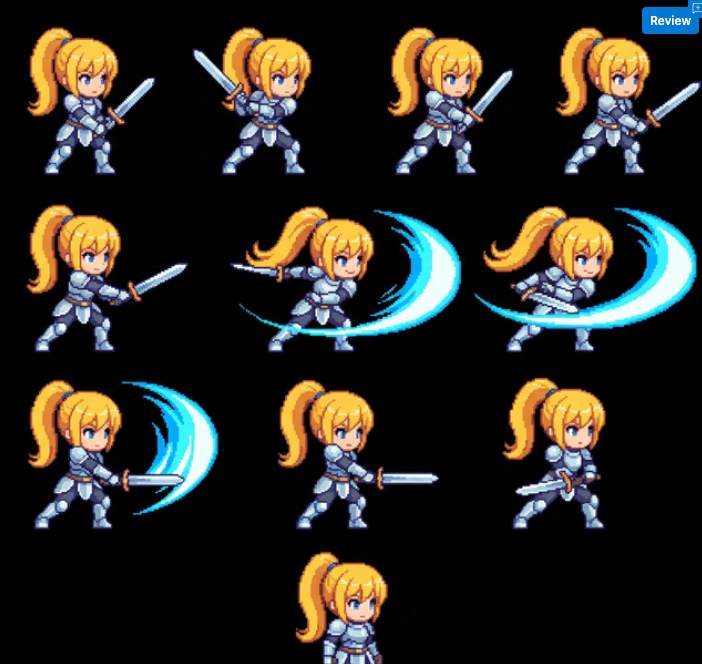
The workflow looked like this: describe the character pose and action in detail, generate the sprite sheet, run it through my Python extraction script, then preview it in-game. A few rounds of prompt refinement got me to a place where all 102 frames across 13 actions felt cohesive and game-ready.
The 13 Actions
Complete Action Inventory
- Red Hair Mode: Idle, Run, Jump, Dash, Eat Bun (heal)
- Transition: Draw Sword (transforms between modes)
- Blonde Hair Mode: Attack1, Attack2, Attack3, Block, Get Hit, Cast Magic, Death
Each action has between 4 and 10 frames. The total extraction produced 102 individual PNG files, organized into /images/sprites/red_hair/ and /images/sprites/blonde_hair/ directories. The animation controller can reference them by path, like red_hair/run or blonde_hair/attack3.
Phase 3: The Auto-Demo System
Once I had all the animations working smoothly with player input, I realized I needed a way to show off the game without requiring someone to memorize 10 keyboard shortcuts. Game conferences and websites need attract modes. So I built one.
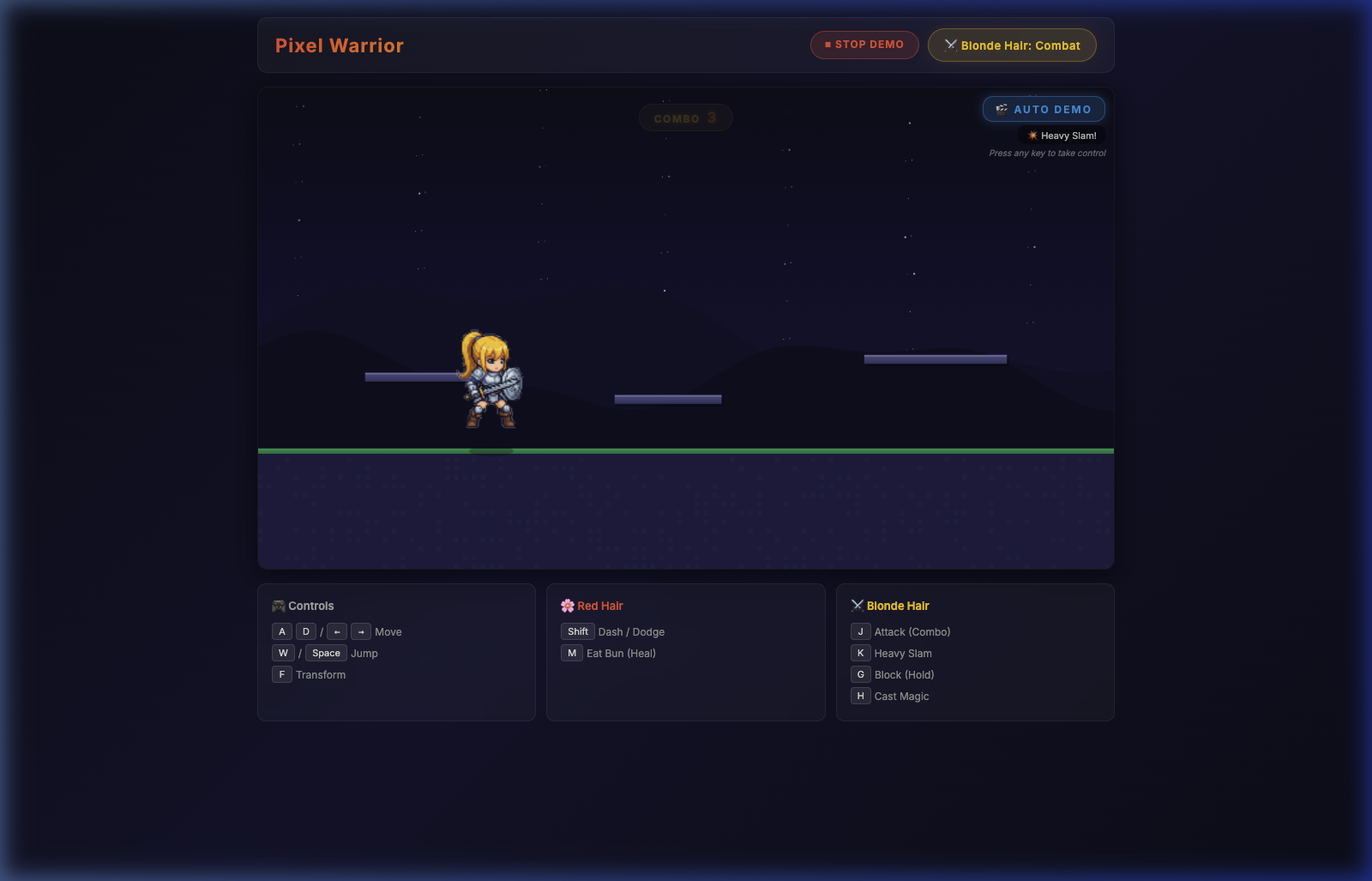
The demo system is a simple but effective sequence controller. It's basically a timeline of actions with durations:
const demo = {
    sequence: [
        { action: 'idle',       dur: 2000, label: '🌸 Red Hair Mode' },
        { action: 'walk_right', dur: 1200, label: 'Run →' },
        { action: 'jump',       dur: 1000, label: 'Jump!' },
        { action: 'eat_bun',    dur: 2000, label: 'Eat Bun 🍞' },
        { action: 'transform',  dur: 2000, label: '✨ Transform!' },
        { action: 'attack1',    dur: 1200, label: 'Attack Combo 1' },
        // ... 30+ total steps
    ]
};
The real trick was making it interruptible. Press any key during the demo, and it immediately stops, handing full control back to the player. The demo auto-starts when the page loads, loops continuously, and there's a toggle button in the header. It feels like those arcade attract screens from the 90s, which is exactly the vibe I wanted.
Phase 4: Procedural Chiptune Audio (No Sound Files Needed)
This is the part that surprised me the most. Instead of hunting for royalty-free sound effects and music loops — which is always a time sink — I went fully procedural. Every single sound in Pixel Warrior is generated in real-time using the Web Audio API. No .mp3 files. No .wav files. Zero external audio assets.
Sound Effects Architecture
Each sound effect is a function that creates and connects Web Audio nodes on the fly. A jump sound is an oscillator sweeping upward in frequency. A sword slash is a short burst of filtered noise. A magical spell is an ascending C-E-G-C arpeggio with reverb.
jump() {
    const osc = ctx.createOscillator();
    osc.type = 'square';
    osc.frequency.setValueAtTime(300, now);
    osc.frequency.exponentialRampToValueAtTime(600, now + 0.15);
    // Connect → GainNode → Destination
    // Auto-stop after 0.2s
}
I ended up with over 10 distinct sound effects: jump, land, dash, three levels of attack, block (metallic clang), get hit (descending square wave), transform (ascending arpeggio with shimmer), magic cast, eat bun (cute chewing sound), death, and revive.
Background Music: A Tiny Chiptune Loop
For the background music, I wrote a simple chiptune engine that composes a looping melody in C minor pentatonic scale at 130 BPM. It layers three voices:
- Melody: Square wave playing a pattern of notes (C4, Eb4, G4, Bb4)
- Bass: Triangle wave following the root notes an octave lower
- Drums: Synthesized kick and hihat using noise and low-frequency oscillators
The entire audio engine — effects plus music — lives in a single audio.js file under 300 lines. No build step. No dependencies. It just works.
Phase 5: Enemy AI & Combat System
The final piece was turning this from a character animation showcase into an actual game. I needed enemies that could think, fight, and die.
Three Enemy Types, All Procedurally Drawn
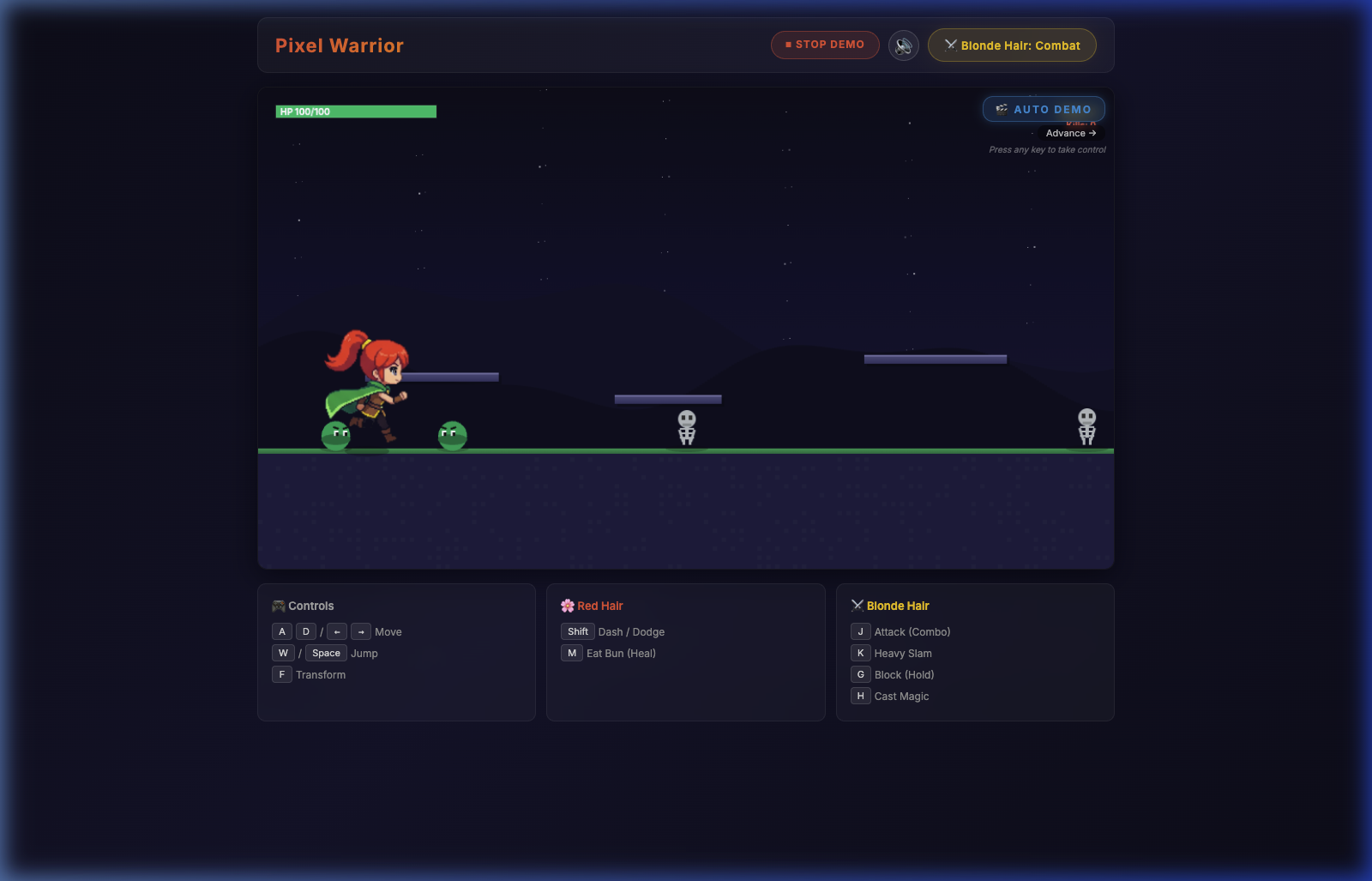
Since I didn't have enemy sprite sheets, I took a different approach: every enemy is drawn directly onto the Canvas using primitive shapes — circles, rectangles, and arcs. It turns out you can make surprisingly expressive characters this way.
Enemy Roster
- 🟢 Slime (40 HP) — Bouncing green blob with eyes. Gets angry eyebrows when chasing the player. Worth 50 points.
- 💀 Skeleton (70 HP) — Bone structure with animated arms and a sword. Glowing red eyes in combat mode. Worth 100 points.
- 👹 Demon (120 HP) — Horned beast with flapping wings, fire aura when attacking, and glowing orange eyes. The boss tier. Worth 200 points.
AI Behavior: Finite State Machine
Each enemy runs a simple but effective state machine with four states:
Patrol
Wander left and right randomly. Flip direction every 1.5–3.5 seconds. Don't care about the player.
Chase
Detected the player within 200px and they're in combat mode. Move directly toward them at full speed.
Attack
Within melee range. Wind up for 400ms, then strike. Goes on cooldown (1.2–2s) before attacking again.
Hurt / Death
Knocked back by player hits. Flash white on impact. At 0 HP, play death dissolve animation and despawn.
One design choice I'm happy with: enemies only become aggressive when the player is in combat mode (blonde hair). In peaceful mode (red hair), they just patrol. This creates a natural tension around the transform mechanic — you choose when to engage.
The Damage System
Combat isn't just visual. Every attack has real numbers behind it:
- Attack1 deals 12 damage, Attack2 deals 18, Heavy Slam deals 30
- Magic does 25 damage in a 200px range (great for crowd control)
- Blocking reduces incoming damage by 80%
- Eating a bun heals 20 HP (but only in peaceful mode)
- After getting hit, you get 500ms of invincibility frames (character flashes)
- Death triggers auto-respawn after 2 seconds with full HP
Floating damage numbers pop up in gold (player dealing damage) or red (player taking hits), giving that satisfying RPG feedback loop. The HP bar in the top-left changes color — green above 50%, yellow above 25%, pulsing red below 25%.
The Final Result
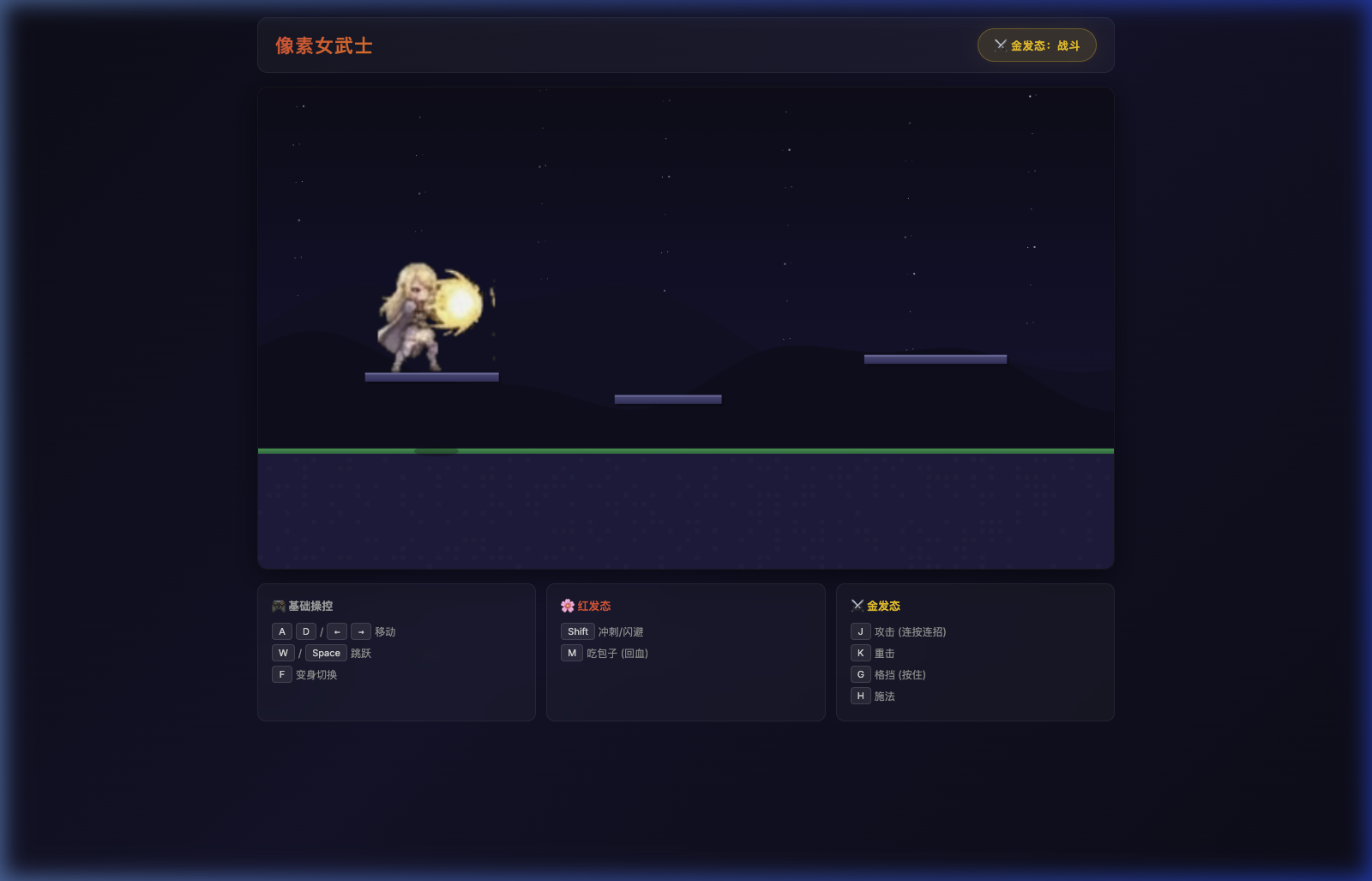
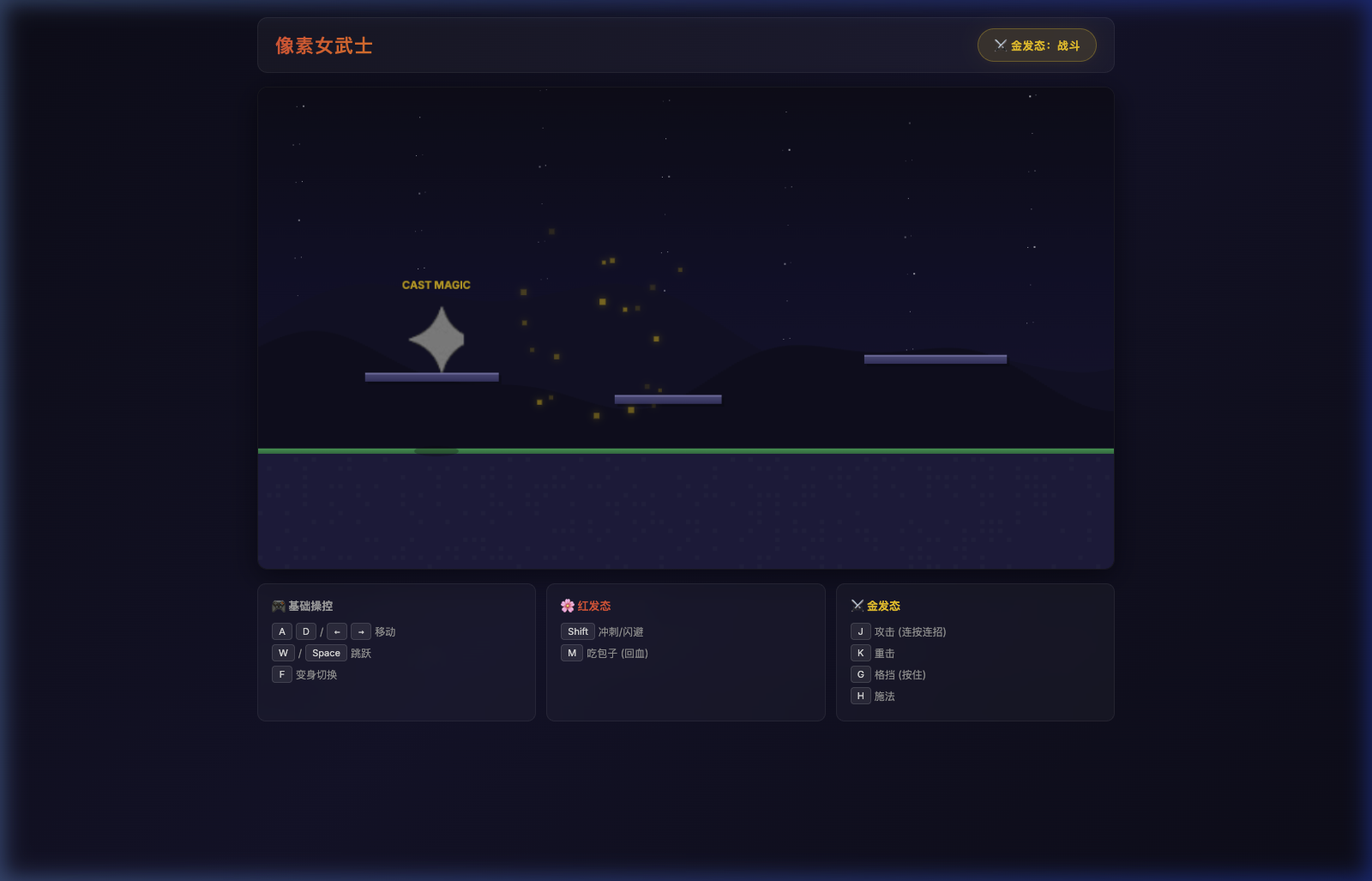
Here's the complete demo running through an entire cycle. Watch for the red hair exploration phase, the sword-draw transformation, enemy spawning, combo attacks with floating damage numbers, magic casting, healing, and the death-revival sequence.
Key Takeaways & What I Learned
After a full day of building, here's what I walked away with — the honest, unfiltered version.
1. AI Tools Don't Replace Skill — They Amplify It
The AI coding assistant didn't magically produce a game. It produced code, which I then had to understand, debug, restructure, and adapt. When the procedural audio engine's frequency calculations were off, I needed to know enough about sound synthesis to describe what was wrong. When the enemy AI got stuck in a loop, I needed to understand state machines to diagnose the issue.
What AI tools genuinely helped with was the heavy lifting — generating 300 lines of Web Audio code, drafting the enemy drawing routines, and scaffolding the animation controller. That freed me up to focus on the game feel, which is the part that actually matters.
2. Procedural Everything Is Underrated
No external audio files. Enemies drawn with code. It sounds like a limitation, but it's actually liberating. There's no asset pipeline to manage. No file format compatibility issues. No licensing concerns. The entire game is pure JavaScript — clone the repo, open the HTML file, and it works.
3. Demo Modes Are Worth the Investment
Building the auto-demo system took maybe 30 minutes, but it completely changes how the game presents itself. Instead of a static screenshot, visitors see the game playing itself — running, jumping, fighting, casting spells. It's the difference between a LinkedIn post and a YouTube video. Motion sells.
4. Start Ugly, Iterate Fast
The first version of Pixel Warrior used procedurally drawn pixel art — literally rectangles on a canvas. It looked terrible. But it worked, and that's what mattered. Once the systems were solid (physics, input, animation), swapping in proper sprites was trivial. Don't get stuck on art before the mechanics exist.
5. Ship Something Playable
At several points during the day, I had to resist the urge to add more features. More enemy types. Boss battles. Parallax scrolling. The hardest skill in indie development isn't building — it's knowing when a thing is done enough to share. This demo isn't a finished game. It's a proof that the game can exist. And that's valuable.
The gap between "I have an idea for a game" and "here, play this" used to be weeks or months. With the right tools — and the willingness to start ugly — that gap can be a single day. It won't be perfect. But it'll be real.
🛠️ Tech Stack
- Language: Vanilla JavaScript (no frameworks, no build step)
- Rendering: HTML5 Canvas 2D API
- Audio: Web Audio API (procedural synthesis)
- Sprites: AI-generated pixel art, processed with Python
- Enemies: Procedurally drawn with Canvas primitives
- Recording: Playwright + FFmpeg for demo video capture
- Total Size: ~40KB JavaScript + 102 sprite PNGs
🎮 Play Pixel Warrior
Try the demo yourself — keyboard controls, or just watch the auto-demo.
Play Now